RoboFixGuide Q Revo guides
HomeRoborockQ RevoDock Light Is Red
ROBOROCKQ REVODOCK WARNING

Roborock Q Revo Dock Light Is Red

A steady red dock indicator has a short official checklist. Diagnose the tanks and cleaning tray before assuming an electrical failure.

4–7 min No tools first Safe checks only
QUICK ANSWER

Check both water tanks and the cleaning tray/filter.

Roborock lists four main checks for a steady red Q Revo dock light: local voltage, clean-water tank, dirty-water tank, and correct installation of the cleaning tray/filter.
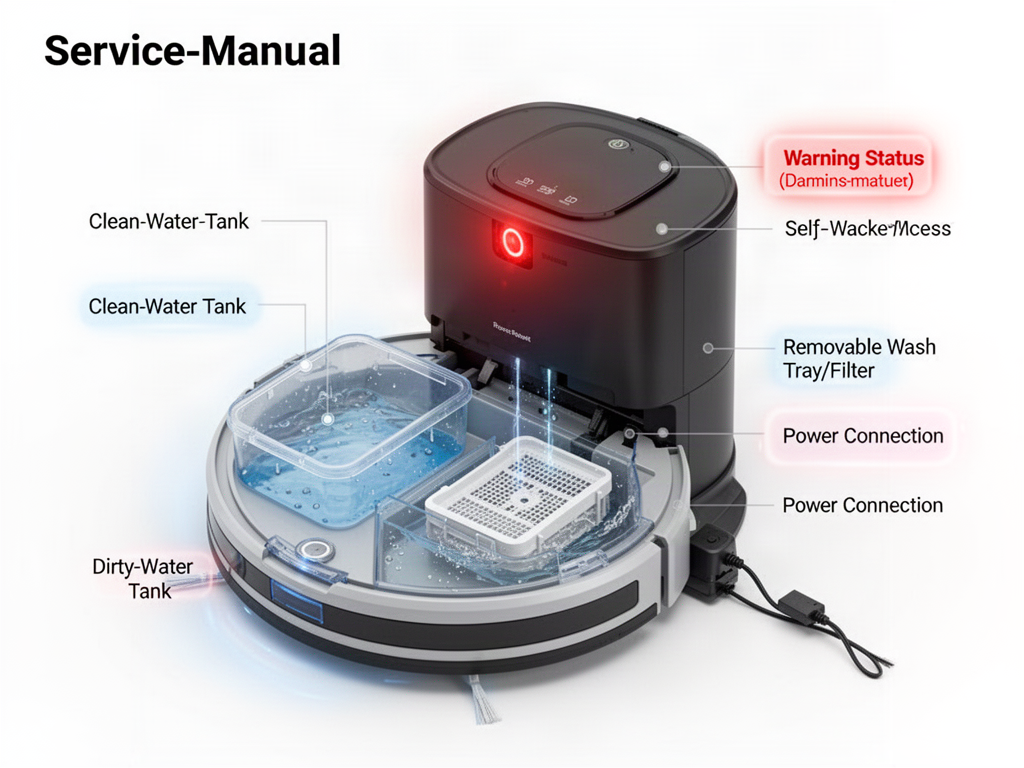
Self-washing dock with red warning light and service areas highlighted
Check these first: clean-water tank, dirty-water tank, wash tray/filter and the dock power connection.
INTERACTIVE DIAGNOSIS

Clear the red dock warning

STEP 1 OF 3

Are both water tanks in the correct state?

Clean-water tank filled and seated; dirty-water tank emptied and seated.

Electrical warning

If the tanks and tray/filter are correct but the red light persists, do not open the powered dock to investigate voltage circuitry. Contact qualified support.

KEEP DIAGNOSING

Related guides

WAS THIS GUIDE HELPFUL?

Rate this guide

No account needed. Your rating helps us improve the most useful troubleshooting guides.

Be the first to rate this guide