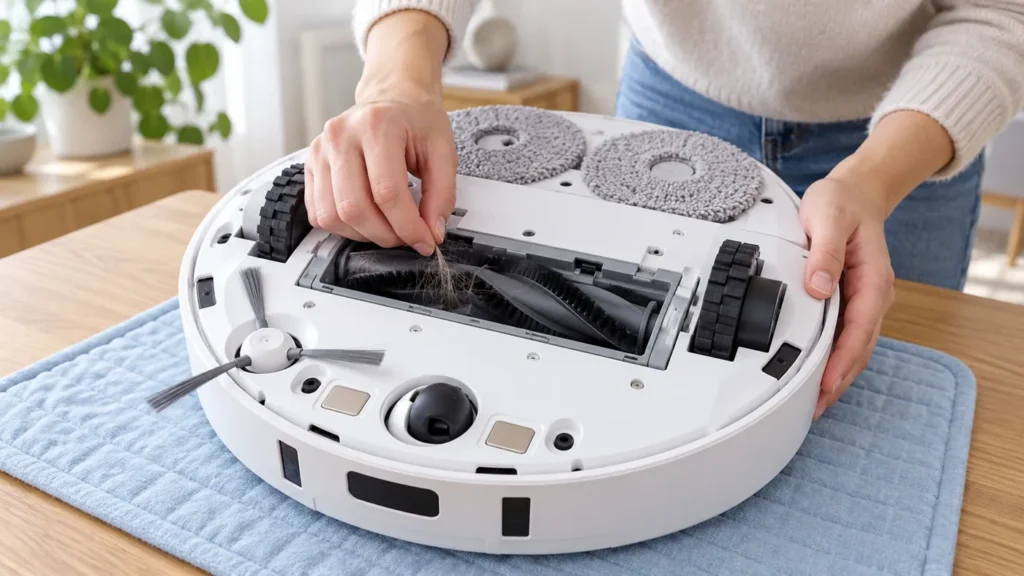
Begin with the quick checks. Stop if a step requires tools or experience you do not have.
If the Dreame L10s Ultra main brush is not spinning, start with the roller, its ends, and the protective guard. Hair wrapped around an end or a part fitted poorly after cleaning deserves attention before you assume the brush motor has failed.
First record what prompted the concern: an app warning, a grinding noise, or dirt left on the floor. Poor pickup alone does not confirm a stationary brush. A blocked filter or full bin can produce a similar cleaning result.
Choose the right first check
| What you find | Next step |
|---|---|
| Hair or thread is wrapped around the roller | Remove the brush and clear the tangles. |
| The problem started after maintenance | Recheck the brush ends and guard installation. |
| A hard object is caught in the brush area | Remove it with the robot switched off. |
| There is no brush warning, only poor pickup | Inspect the bin, filter, and airflow too. |
| The fault returns after cleaning and correct assembly | Record the error and ask support about service. |
1. Stop the task before inspecting underneath
End the cleaning task, move the robot away from its station, and switch it off. Support it securely on a soft surface while accessing the underside. Keep its top lidar area from taking the robot’s weight.
Do not start cleaning while the robot is upside down, hold a running roller, or run it with the guard removed to see whether it moves. Make the inspection with the robot off, then assess the assembled robot in its normal position.
2. Remove the roller and clear trapped debris
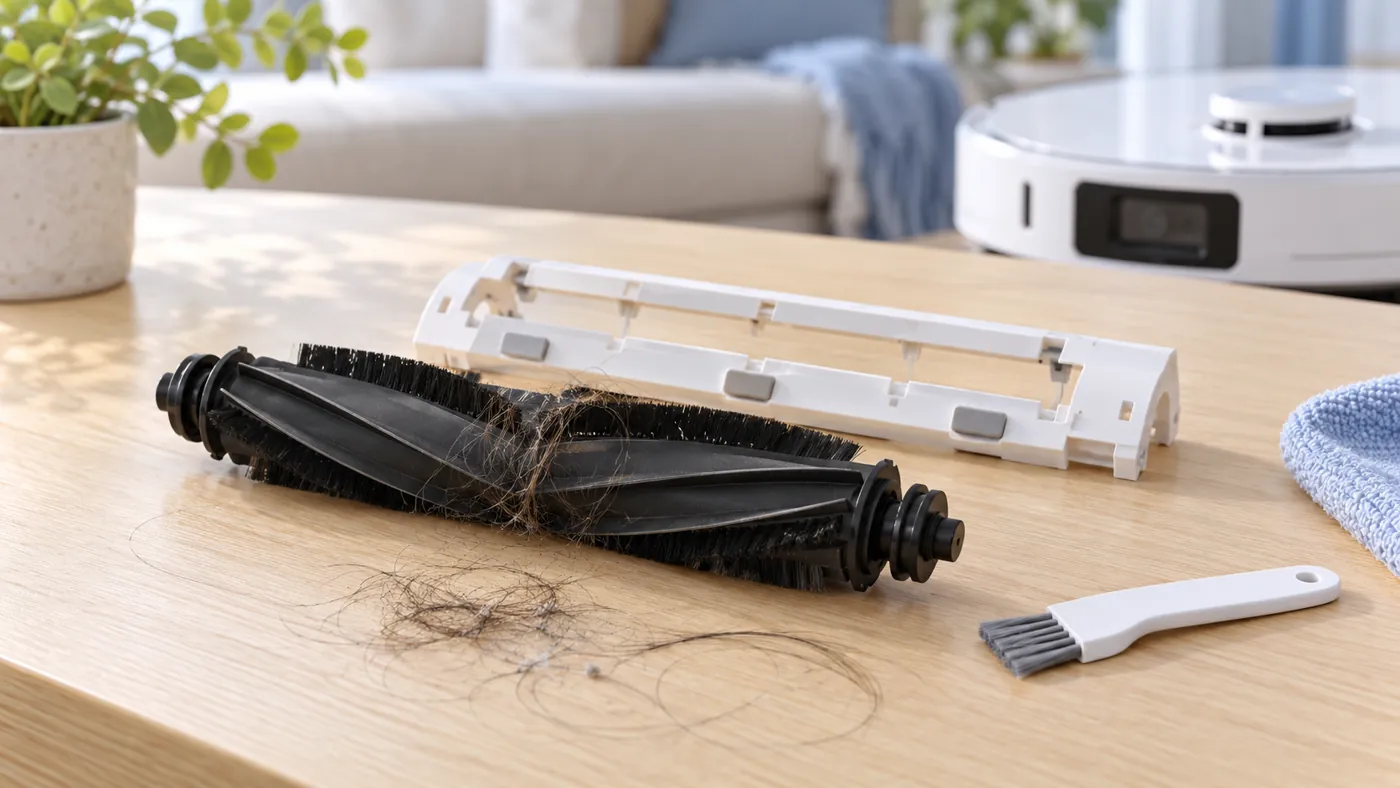
The manual directs you to release the guard by pressing its clips inward, then lift out the main brush. Remove the brush end covers as shown in the manufacturer’s diagram and clear tangled hair with a suitable tool.
Look along the roller and at both ends. A long strand can remain tightly wrapped even when the broad brushing surface looks clean. Check the accessible brush compartment for a lodged hard object and remove loose debris without pushing it deeper into the housing.
Use the full main brush cleaning guide for routine care. Keep small removed parts together and photograph their original arrangement if you are unfamiliar with the assembly.
3. Inspect the parts before refitting
Look for a cracked end piece, bent guard, broken retaining clip, or visibly damaged roller. A cleaning step cannot restore a broken fitting. If the fault began after installing a replacement, confirm that the part is specified for the original L10s Ultra rather than another similarly named model.
Refit the brush end covers and roller according to the manual’s diagram, then seat the guard with both clips secured. It should fit without forcing or trapping loose hair beneath it. If it does not sit properly, stop and recheck the arrangement.
Do not use glue, improvised spacers, or a forced fit to hold a damaged part in place. Send a clear photo of the fitting to the supplier or support before purchasing another component.
4. Test the fully assembled robot
Return the robot upright and run a short vacuum-cleaning task on a clear, dry floor. Record whether the original warning returns, whether the noise changes, and whether ordinary debris is collected. Use the same type of floor for a useful before-and-after comparison.
If collection remains weak without a brush warning, follow the not picking up dirt guide. If a new noise is the main symptom, see the noise checklist. Avoid interpreting every leftover crumb as evidence of motor failure.
When cleaning is not enough
Contact support when a brush-related warning repeatedly returns after debris removal and correct fitting, or when the roller, retaining parts, or accessible drive fitting appear damaged. Do not open the motor housing as part of ordinary maintenance.
Send the exact warning, a short video of the assembled robot’s behavior, photos of the roller ends and guard, and the part details if a replacement was installed. Mention whether the problem started before or after maintenance. For a run that stops with a different error, use the keeps stopping guide.
FAQ
Does weak pickup prove that the main brush is not turning?
No. Check the warning and inspect the brush, then assess the bin and filter if pickup remains poor.
Can I test it with the brush guard removed?
Perform the operating test with all parts fitted and the robot upright. Inspect exposed parts only while it is off.
Should I buy a new motor first?
Check debris, fitting, visible damage, and the exact error first. A repeated fault can then be assessed by support.
Find more maintenance and repair checks in the Dreame troubleshooting hub.
Manufacturer reference: Dreame L10s Ultra user manual, English routine maintenance and troubleshooting sections. Removal and care instructions follow the original model’s manual; the comparison checks are practical troubleshooting suggestions.