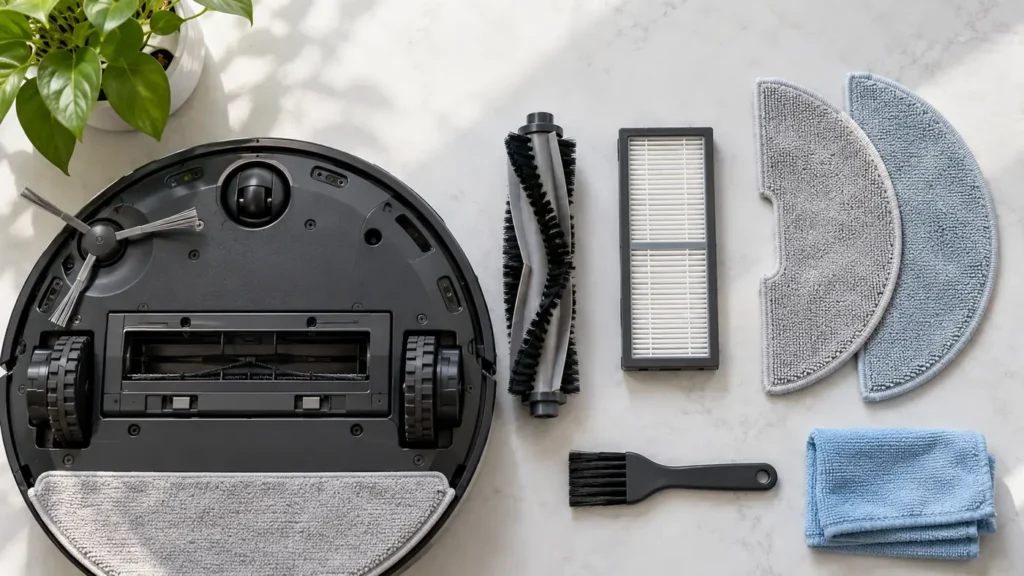
Regular inspection can prevent a simple obstruction from looking like a failed motor, pump, or battery. Use the maintenance schedule for your exact model; intervals and removable parts differ across robots and docks.
Before you start
- Switch the robot off before removing a brush, filter, or mop pad.
- Unplug the dock before cleaning accessible charging contacts or a removable wash tray.
- Keep liquid out of electrical contacts and let washable parts dry as instructed by the manufacturer before reinstalling them.
- Stop using equipment with a damaged cord, station, or lithium battery.
Match a symptom to a check
- Charging stops or never starts: confirm that the station has power, then inspect the accessible charging contacts. See Qrevo Curv not charging, X40 Ultra not charging, or Roomba j7 not charging.
- Dirt remains on the floor: inspect the dustbin, filter, brushes, and cleaning mode before assuming the fan has failed. See Qrevo Curv not picking up dirt.
- Mop pads stay dry: distinguish a dock-washing problem from water delivery while cleaning. See Qrevo Curv mop pads not getting wet and dock not washing mop pads.
- Dirty water remains in the tray: inspect the removable tray and tank seal first. See Qrevo Curv dirty water not pumping.
Model-specific intervals
Compare care and replacement timing in the model-specific maintenance schedule for Qrevo Curv, Roomba j7, X40 Ultra and T20 OMNI. It separates manufacturer intervals from checks performed as needed; choose the exact model before following a schedule.
What to check next
If routine cleaning does not solve the problem, choose the next step for your exact robot model:
- Start a step-by-step robot vacuum diagnosis to narrow down the symptom before replacing a part.
- Look up an error code or alert and distinguish similar messages.
- Check replacement-part compatibility using the full model and the manufacturer’s fit information.
- Check the battery reference if a charging problem persists after power and contact checks.
- Compare repair and replacement once the fault and costs are known.
Use the right manual
Locate the exact model in the brand directory and consult its manufacturer’s manual for cleaning methods and replacement intervals. A part that fits one generation may not fit another. Browse all diagnostic guides.