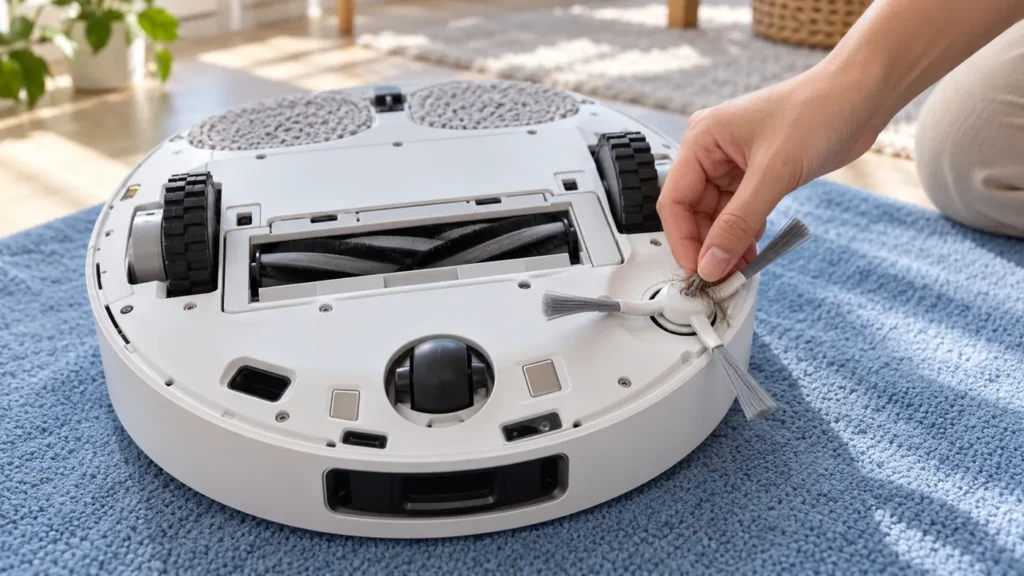
Begin with the quick checks. Stop if a step requires tools or experience you do not have.
If the Dreame L10s Ultra side brush is not spinning, check for hair around its hub and confirm that the brush is fitted securely. A loose brush after maintenance and a brush bound by thread need different attention from a persistent drive fault.
First observe the symptom during an actual vacuum-cleaning task. A brush resting at the dock or a paused robot is not a useful operating test. Record any warning and whether the brush stays still throughout cleaning, moves intermittently, or falls off.
Quick side brush checks
| What you observe | Next check |
|---|---|
| Hair or thread around the hub | Switch off the robot and clean the brush. |
| The problem began after removal or replacement | Check seating and model compatibility. |
| A brush arm or hub is visibly damaged | Confirm the correct replacement rather than forcing it. |
| The brush stays still during a short cleaning task | Record the behavior after cleaning and refitting. |
| The main roller is the stationary part | Use the main brush troubleshooting guide. |
1. Stop the robot before handling the brush
End the task, move the robot away from the station, and switch it off. Support it securely on a soft surface when inspecting underneath, without resting its weight on the lidar turret.
Do not touch the side brush while it is running or turn on the robot upside down to test it. Make the inspection with power off, then test the assembled robot upright on the floor.
2. Remove hair and inspect the hub
The original manual directs you to remove and clean the side brush. Follow its removal diagram, then inspect the center as well as the brush arms. Hair wrapped tightly around the hub can be less obvious than loose fluff at the bristle ends.
Clear visible tangles and loose debris from accessible surfaces. Avoid forcing the drive fitting or opening the underside housing. If the brush will not release as shown in the model’s instructions, stop rather than levering against nearby sensors.
Use the side brush cleaning guide for routine maintenance. Keep any removed parts together and compare their condition before refitting.
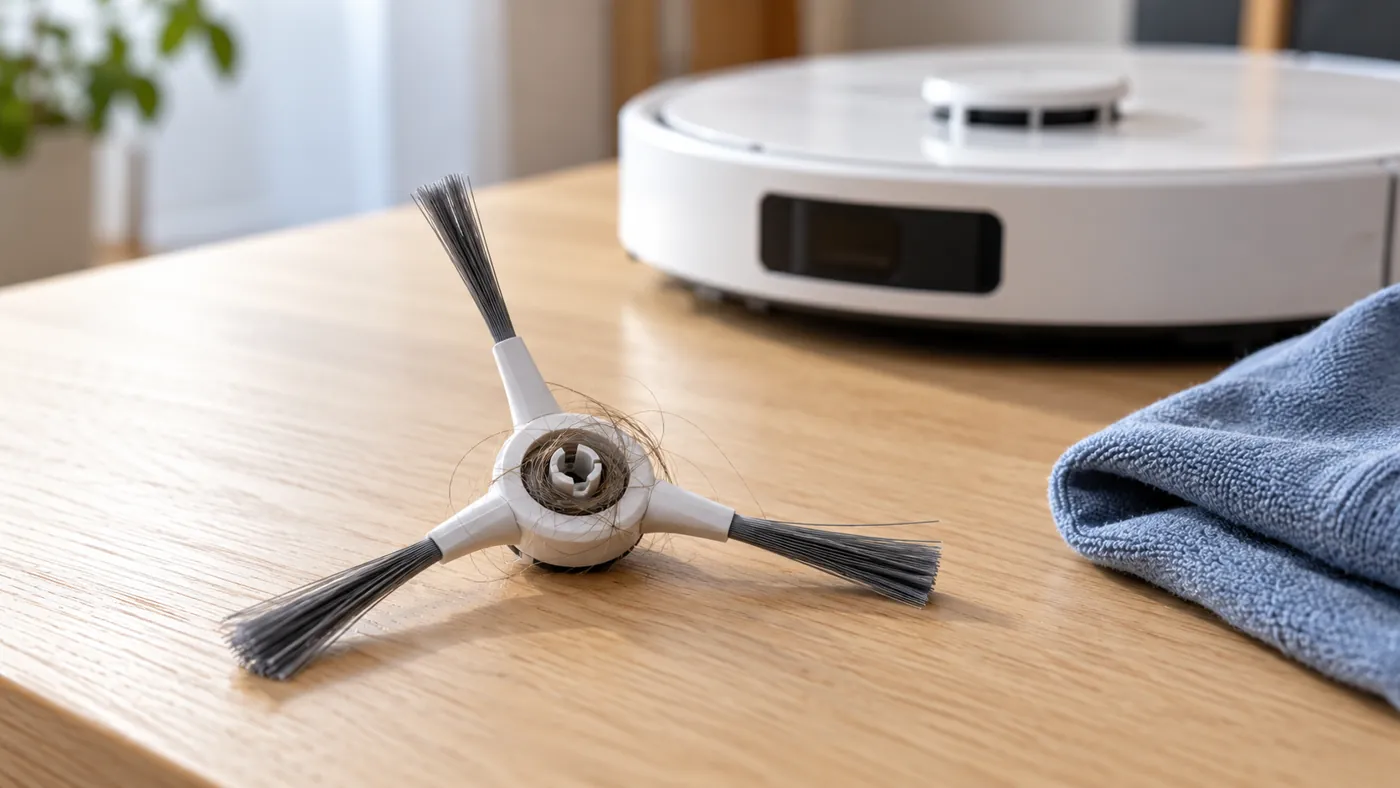
3. Check the brush and its fitting
Look for a split hub, missing bristles, a broken arm, or visible damage at the mounting point. Cleaning does not restore a cracked fitting. If a replacement was installed just before the problem appeared, check that it is specified for the original L10s Ultra.
The manual says to install the side brush until it clicks into place. Check seating without forcing it. A brush that remains loose or will not fit normally needs further inspection; do not secure it with glue or an improvised spacer.
Photograph the brush and mounting point if you need to ask support or a supplier about compatibility. A part listed merely as “Dreame compatible” is not enough information to establish the correct fit.
4. Run a short comparison test
Return the robot upright and start a brief vacuum-cleaning task on a clear, dry floor. Observe from a safe distance whether the side brush now operates and whether the original warning returns.
Keep the test conditions simple. Remove loose cords and long rug fringes from the test area so that a new tangle does not obscure the result. Do not assume that dirt left along one edge proves the brush motor has failed.
If the brush operates but pickup remains poor, see the dirt pickup checklist. If the stationary component is the central roller, use the main brush not spinning guide. If the whole task stops, follow the stopping guide and record the actual error.
When to contact support
Ask for service advice if the brush remains stationary during cleaning after tangles are removed and seating is correct, or if the fitting is visibly damaged. Send the exact model, error text, a short video of the upright robot during cleaning, and photos of the brush hub. Mention any recent replacement.
A stationary brush after these checks warrants further diagnosis; it does not identify the motor, wiring, or control electronics by itself. Keep ordinary maintenance separate from opening the robot for repairs.
FAQ
Should the side brush spin while docked?
Use an active cleaning task as your comparison. Its resting position at the station does not establish a fault.
Can wrapped hair stop the brush?
Check and remove visible tangles, then compare operation after proper refitting.
What if it still will not move?
Preserve the error and test video for support rather than repeatedly forcing the fitting.
Browse the Dreame troubleshooting hub for related maintenance guides.
Manufacturer reference: Dreame L10s Ultra user manual, English edition. Model-specific care and control instructions follow that manual; comparison tests are practical troubleshooting suggestions. This guide covers the original L10s Ultra.