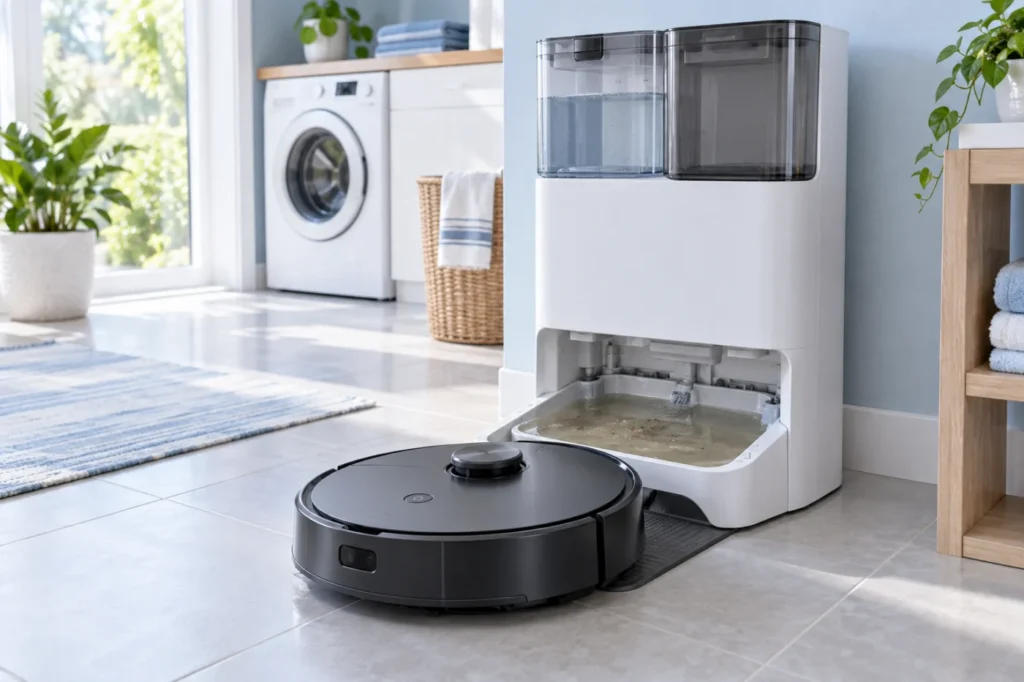
Begin with the quick checks. Stop if a step requires tools or experience you do not have.
Quick answer: If used water remains in the original Roborock Q Revo dock’s mop-washing tray, empty and reseat the dirty-water tank, then clean the removable cleaning tank and its filter. Check any red dock light or app alert before starting one manual mop wash. If fresh water enters but the tray still fills and the waste tank stays empty, stop repeating wash cycles and ask Roborock support to diagnose the return path. A pump sound alone does not prove which part has failed.
Not sure which check to try next?
Follow guided questions and report what changes after each check.
Start step-by-step diagnosisThis guide is for the original Q Revo, not Qrevo Curv or another dock variant. It addresses used water left in the wash area. If the pads never receive clean water during a wash, follow the separate Q Revo dry-mop guide first.
Check the result of one wash
| What you observe | Where to start |
|---|---|
| Fresh water enters, but used water remains in the wash area | Dirty-water tank seating, removable cleaning tank and filter |
| No fresh water arrives during the wash | Clean-water supply and whether mop washing actually started |
| Dock indicator is steady red | Read the app alert; verify both tanks and the cleaning tank/filter are installed |
| Water is rising toward the tray edge or leaking | Stop the wash, disconnect power and remove standing water safely |
1. Make the dock safe to inspect
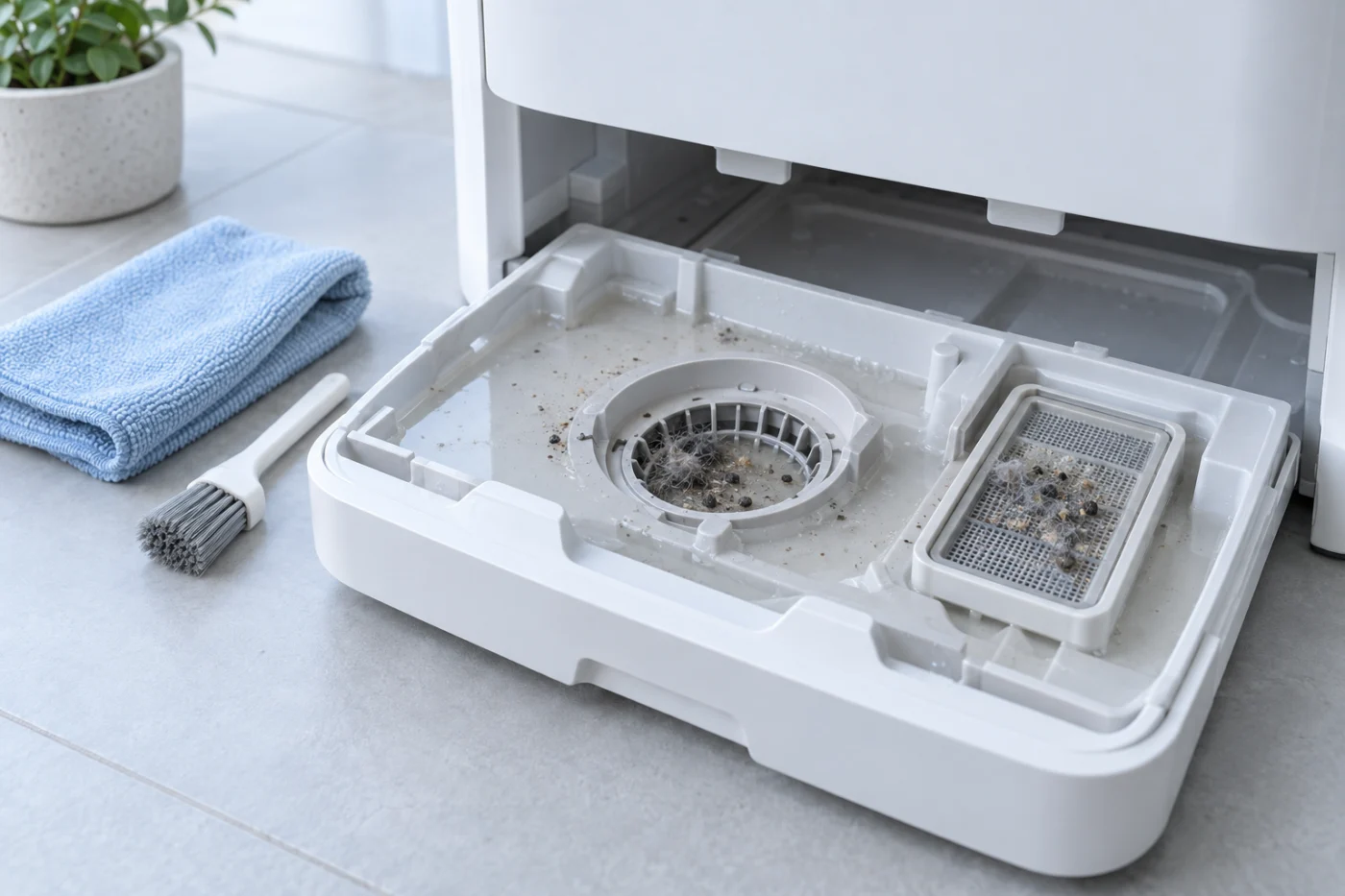
Stop the wash and remove the robot. If the cleaning tank is nearly full, take out standing water with a sponge or small cup. Unplug the dock before handling the removable wash area. Keep water away from electrical contacts and the power inlet. Do not open the dock casing or push a wire into its internal water passage. Roborock’s manual says not to clean the dock body with a wet cloth or tissue.
2. Empty and reseat the dirty-water tank
Open the dirty-water tank, pour out the used water, add a little clean water, close its lid and gently shake it. Empty it again and close the lid before reinstalling the tank. This is the cleaning sequence in the Q Revo manual. Check that the lid is fully closed, the tank is not cracked and nothing prevents it from sitting in its proper position. Wipe water from the outside before returning it to the dock.
A loose lid or poor seating is a possible cause of failed recovery, but it is not confirmed merely because the tank is empty. Test the result after cleaning the tray as well.
3. Clean the removable cleaning tank and filter
Remove the Q Revo’s detachable cleaning tank. Rinse the removable tank and its filter with clean water, remove trapped hair or residue, then reinstall both correctly. Roborock specifically includes these parts in routine maintenance. Leave the fixed dock body dry and do not pour water into its openings.
If the red dock indicator remains on, Roborock lists the clean-water tank, dirty-water tank, and cleaning tank/filter placement among the checks. Follow the exact voice or app error; a red light alone does not identify a failed pump.
4. Run one controlled wash
Reconnect the dock, install both tanks and seat the robot. When the robot is charging, the Q Revo manual says you can start mop washing with the app’s Wash control or the appropriate press-and-hold action on the robot. Watch the water level during the cycle. If clean water enters and the used water is removed into the dirty-water tank, the return path worked for this test.
If the tray fills again, stop the cycle and remove the standing water before another attempt. If no clean water enters, the issue is on the supply or wash-start side, not evidence that the used-water pump failed. Avoid using an automatic dust-emptying control as a water-drain test: the two systems do different jobs.
5. Check cleaner and visible residue
If you see excessive foam or sticky residue, rinse the removable cleaning tank, filter and water tanks. The Q Revo manual calls for Roborock-branded floor cleaner and warns that too much liquid can affect operation. Test once with clean water after the parts have been reinstalled. Do not use bleach, vinegar or drain cleaner inside the dock.
When to contact support
Stop using mop washing if water leaks from the dock, the tray repeatedly overfills, a tank is cracked, or used water still does not reach the dirty-water tank after the accessible checks. Report whether fresh water entered, what happened to the tray level, the exact app alert and whether the dock light was red. These observations help Roborock distinguish a seating or blockage problem from an internal fault. Do not buy a pump based solely on a sound.
More symptoms for this model are in the Q Revo troubleshooting hub. The maintenance and test steps above follow the official Q Revo user manual and Roborock’s guidance on the removable cleaning tank and red dock indicator. RoboFixGuide is independent of Roborock.