QUICK ANSWER
Confirm the S8 is actually in a mopping mode.
S8 can run in Vacuum-only mode. Roborock also allows scrub intensity to control water flow, so verify the selected mode and water level first.
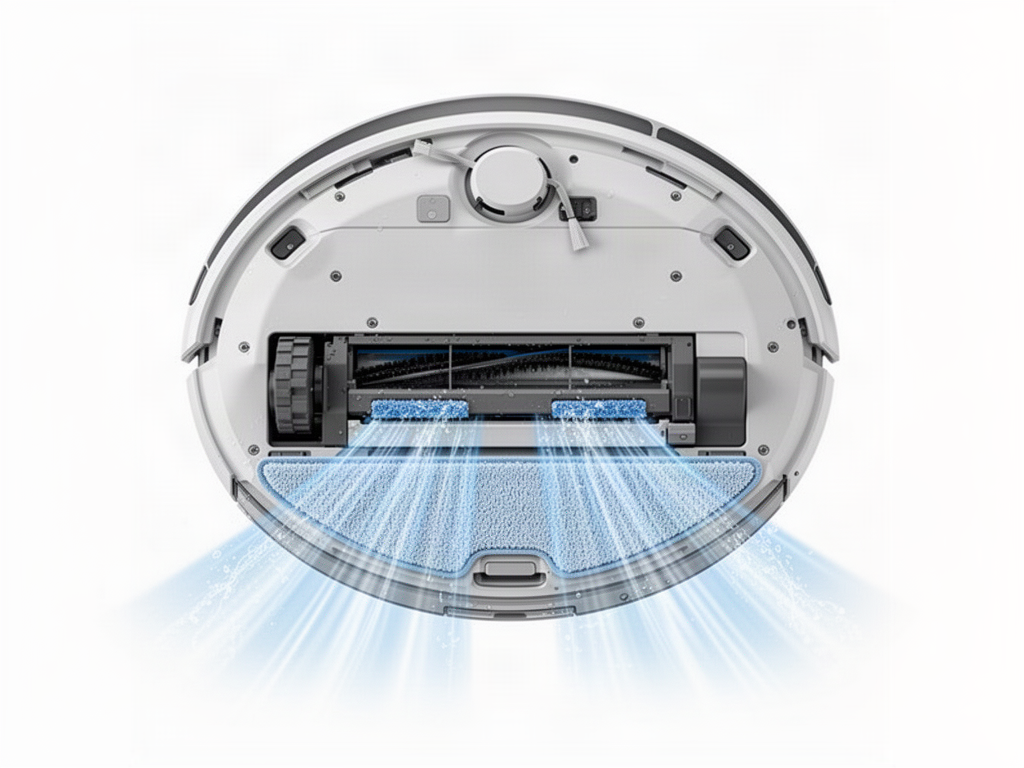
Try these checks in order
01
Select Vac & Mop or Mop
Make sure the current routine is not Vacuum-only.
02
Check the water tank
Fill and correctly install the tank.
03
Install the mop cloth correctly
Make sure it is flat and attached to the mount.
04
Increase scrub intensity
Run a short hard-floor test with a higher setting.
Still no mopping?
If settings, tank and mop installation are correct but the VibraRise module does not behave normally, arrange service rather than opening the mechanism.
OFFICIAL REFERENCE
Roborock S8 manual
Use the manufacturer manual for the S8’s VibraRise mopping system, water-tank handling and jam checks before deeper repair.
Open official S8 manual