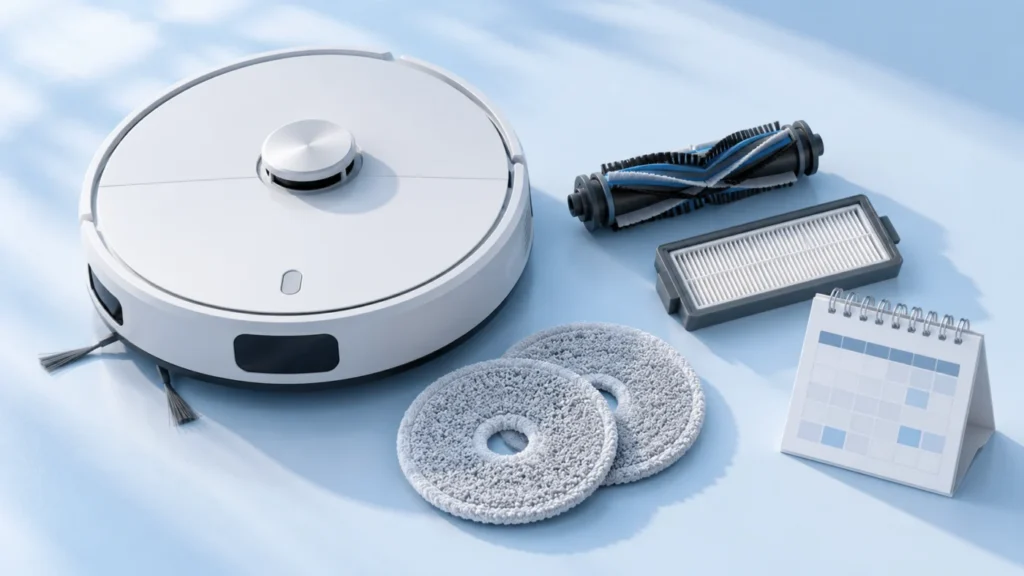
Use the schedule for your exact robot and dock. “As required” means inspect the part and act when it needs attention; it is not a fixed calendar interval. Replacement ranges are manufacturer guidance and may change with wear. This page covers Roborock Qrevo Curv, Q Revo, Qrevo Pro, Qrevo Edge, Qrevo MaxV and S8, vacuum-only Roomba j7/j7+, Roomba Combo j7+ mop care, Dreame X40 Ultra, X50 Ultra/Complete, original L10s Ultra, and Ecovacs DEEBOT T20 OMNI.
Roborock Qrevo Curv
Intervals below come from section D, “Routine Maintenance,” of the Roborock Qrevo Curv user manual (PDF). The manual identifies robot model V10VIV and dock EWFD26LRR. Confirm the model and regional manual on your own device.
Main brushes
Care: Every 2 weeks
Replacement: Every 6–12 months
Action: Remove tangled hair and debris from brush ends and bearings.
Side brush
Care: Monthly
Replacement: Every 3–6 months
Action: Remove hair and debris; tighten the screw after reinstalling.
Washable filter
Care: Every 2 weeks
Replacement: Every 6–12 months
Action: Rinse with clean water only; dry thoroughly for at least 24 hours.
Mop cloths
Care: As required; clean dirty cloths before use
Replacement: Every 1–3 months
Action: Remove, clean, and air-dry before reinstalling.
Dustbin
Care: As required
Replacement: No fixed interval in the cited manual or chart
Action: Empty and clean; let the bin and filter dry for at least 24 hours after washing.
Robot sensors
Care: As required
Replacement: No fixed interval in the cited manual or chart
Action: Wipe with a soft, dry cloth.
Dirty-water tank
Care: As required
Replacement: No fixed interval in the cited manual or chart
Action: Empty and rinse the tank.
Charging contacts
Care: As required
Replacement: No fixed interval in the cited manual or chart
Action: Wipe robot and dock contacts with a soft, dry cloth.
Dock dust bag
Care: —
Replacement: As required
Action: Replace the disposable bag; make sure a bag is installed before auto-emptying.
Cleaning tray module
Care: As required
Replacement: No fixed interval in the cited manual or chart
Action: Remove and rinse the removable tray and filter.
Before maintenance, switch off the robot and unplug the dock. Do not wipe charging contacts with a wet cloth. Use only cleaning solution recommended by Roborock; the manual says not to use disinfectant. If a part is unusually worn, replace it sooner than the interval shown. See Qrevo Curv guides and the parts compatibility list.
Roborock Q Revo
These intervals come from section D, “Routine Maintenance,” of the Roborock Q Revo user manual (PDF). This is the original Q Revo, not Qrevo Curv, Pro or MaxV. Check the model label and the manual for your region. The cited manual identifies robot model QX0PEA and an Empty Wash Fill Dock.
Main brush
Care: Every 2 weeks
Replacement: Every 6–12 months
Action: Remove wrapped hair from the brush ends and bearing; let the brush dry away from direct sun after wiping.
Side brush
Care: Monthly
Replacement: Every 3–6 months
Action: Remove hair and debris; tighten the screw when reinstalling.
Washable filter
Care: Every 2 weeks
Replacement: Every 6–12 months
Action: Rinse as instructed and allow at least 24 hours to dry before reinstalling.
Mop cloths
Care: As required
Replacement: Every 1–3 months
Action: Clean dirty cloths and air-dry them before reattaching.
Robot sensors and charging contacts
Care: Monthly
Replacement: No fixed interval in the cited manual
Action: Wipe sensors and robot/dock charging contacts with a soft, dry cloth.
Main wheels
Care: Monthly
Replacement: No fixed interval in the cited manual
Action: Wipe with a soft, dry cloth; inspect the front omnidirectional wheel as required.
Dock dust bag, dirty-water tank and cleaning tank
Care: Tanks as required
Replacement: Dust bag as required; no fixed tank interval
Action: Empty and rinse the dirty-water tank and removable cleaning tank. Fit a new disposable bag when needed; do not run auto-emptying without one.
Switch off the robot and unplug the dock before maintenance. Keep the charging contacts dry and do not use disinfectants on the main brush. See Q Revo troubleshooting and Q Revo parts compatibility.
Roborock Qrevo Pro
These intervals come from section D, “Routine Maintenance,” of the Roborock Qrevo Pro FCC user manual (PDF). It identifies robot model QR1PES and dock EWFD16LRR. Confirm your model and regional instructions before applying this schedule.
Main brush
Care: Every 2 weeks
Replacement: Every 6–12 months
Action: Remove tangled hair from the brush ends and bearing; dry away from direct sunlight after wiping.
Side brush
Care: Monthly
Replacement: Every 3–6 months
Action: Clean the brush and secure its screw when reinstalling.
Washable filter
Care: Every 2 weeks
Replacement: Every 6–12 months
Action: Rinse as directed and allow at least 24 hours to dry thoroughly.
Mop cloths
Care: As required; clean dirty cloths before use
Replacement: Every 1–3 months
Action: Clean and air-dry before reattaching.
Robot sensors and charging contacts
Care: As required for sensors; monthly for contacts
Replacement: No fixed interval in the cited manual
Action: Wipe with a soft, dry cloth.
Dock tanks and cleaning tank
Care: As required
Replacement: No fixed interval in the cited manual
Action: Empty and rinse the dirty-water tank; remove and rinse the cleaning tank and filter.
Dock dust bag
Care: —
Replacement: As required
Action: Fit a new bag before auto-emptying.
Switch off the robot and unplug the dock before maintenance. Avoid wet cloths on charging contacts. See Qrevo Pro guided diagnosis and Qrevo Pro parts compatibility.
Roborock Qrevo Edge (FCC)
These intervals come from section D, “Routine Maintenance,” of the Roborock Qrevo Edge FCC user manual (PDF). It identifies robot model QX0VIM and dock EWFD30LRR. Edge variants can differ; use the manual for your exact model and region.
Dual main brushes
Care: Every 2 weeks
Replacement: Every 6–12 months
Action: Clear hair from both brush ends and bearings; align matching colors when reinstalling.
Side brush
Care: Monthly
Replacement: Every 3–6 months
Action: Clean and secure its screw.
Washable filter
Care: Every 2 weeks
Replacement: Every 6–12 months
Action: Rinse and let dry thoroughly for at least 24 hours.
Mop cloths
Care: As required; clean before use when dirty
Replacement: Every 1–3 months
Action: Clean and air-dry before reattaching.
Robot sensors and charging contacts
Care: As required
Replacement: No fixed interval in the cited manual
Action: Wipe with a soft, dry cloth.
Dock tanks and cleaning tray module
Care: As required
Replacement: No fixed interval in the cited manual
Action: Empty and rinse the dirty-water tank; remove and rinse the tray and filter.
Dock dust bag
Care: —
Replacement: As required
Action: Fit a new bag securely before auto-emptying.
Switch off the robot and unplug the dock before maintenance. Keep electrical contacts dry. See Qrevo Edge guided diagnosis and Qrevo Edge parts compatibility.
Roborock Qrevo MaxV
These intervals come from section D, “Routine Maintenance,” of the Roborock Qrevo MaxV user manual (PDF). The cited manual identifies robot model QR0PEP and dock EWFD16HRR. Check your own model label and regional manual before applying the dock instructions.
Main brush
Care: Every 2 weeks
Replacement: Every 6–12 months
Action: Remove hair from the brush ends and bearing; air-dry away from direct sun if wet.
Side brush
Care: Monthly
Replacement: Every 3–6 months
Action: Remove debris and tighten its screw after reinstalling.
Washable filter
Care: Every 2 weeks
Replacement: Every 6–12 months
Action: Rinse with clean water and allow at least 24 hours to dry thoroughly.
Mop cloths
Care: As required; clean dirty cloths before use
Replacement: Every 1–3 months
Action: Clean and air-dry before reinstalling.
Robot sensors and charging contacts
Care: Sensors as required; contacts monthly
Replacement: No fixed interval in the cited manual
Action: Wipe with a soft, dry cloth.
Dock dirty-water tank and cleaning tank
Care: As required
Replacement: No fixed interval in the cited manual
Action: Empty and rinse the dirty-water tank; remove and rinse the cleaning tank and filter.
Dock dust bag
Care: —
Replacement: As required
Action: Install a new disposable bag before auto-emptying.
Switch off the robot and unplug the dock before cleaning. Keep electrical contacts dry. See Qrevo MaxV guided diagnosis and Qrevo MaxV parts compatibility.
Roborock S8 (standard model)
The following intervals are from section C, “Routine Maintenance,” of the Roborock S8 user manual (PDF). They describe the standard S8 robot and its charging dock. S8+, S8 Pro Ultra and S8 Max Ultra have different dock equipment; check their own manuals before applying any dock schedule.
Dual main brushes
Care: Every 2 weeks
Replacement: Every 6–12 months
Action: Remove hair from both brushes and their ends; let them dry away from direct sun after wiping.
Side brush
Care: Monthly
Replacement: Every 3–6 months
Action: Clean the brush and tighten its screw after reinstalling.
Washable filter
Care: Every 2 weeks
Replacement: Every 6–12 months
Action: Rinse with clean water as directed and allow 24 hours to dry thoroughly.
VibraRise mop cloth
Care: After each use
Replacement: Every 3–6 months
Action: Remove, clean and air-dry the cloth.
Robot sensors and charging contacts
Care: Monthly
Replacement: No fixed interval in the cited manual
Action: Wipe sensors and robot/dock charging contacts with a soft, dry cloth.
Main wheels and front wheel
Care: Main wheels monthly; omnidirectional front wheel as required
Replacement: No fixed interval in the cited manual
Action: Remove accessible hair and debris without forcing the wheel bracket.
Dustbin and water tank
Care: As required
Replacement: No fixed interval in the cited manual
Action: Empty and clean the dustbin; rinse the removable water tank as directed. Do not use cleaning liquid in the dustbin.
Switch off the S8 and unplug the dock before cleaning. This standard S8 schedule has no self-emptying dock dust-bag interval. See Roborock troubleshooting guides and S8 parts compatibility.
iRobot Roomba j7 and j7+ (vacuum-only)
These are the frequencies in iRobot’s Roomba j Series care chart. The chart does not assign replacement intervals to every part; a dash means no interval is given there. The j7+ self-emptying dock has a bag, but this chart does not give that bag a calendar replacement schedule.
Bin
Care: After each use
Replacement: No fixed interval in the cited manual or chart
Action: Empty the robot bin.
Brushes
Care: Weekly; twice weekly in homes with pets
Replacement: Every 6–12 months
Action: Inspect and clean the brushes.
Charging contacts
Care: Monthly
Replacement: No fixed interval in the cited manual or chart
Action: Clean the robot and base contacts as directed by iRobot.
Cliff sensors
Care: Monthly
Replacement: No fixed interval in the cited manual or chart
Action: Clean the sensors.
Filter
Care: Weekly; twice weekly in homes with pets
Replacement: Every 2 months
Action: Clean the filter according to iRobot’s procedure.
Front caster wheel
Care: Every 2 weeks
Replacement: Every 12 months
Action: Remove debris and clean the wheel.
Edge-sweeping brush
Care: Monthly
Replacement: No fixed interval in the cited manual or chart
Action: Remove debris and clean the brush.
Follow the linked iRobot care procedures for each component. Check the exact model before buying a consumable. This j Series table is for the vacuum-only j7/j7+, not the Roomba Combo j7+. See Roomba guides and verified parts compatibility.
Roomba Combo j7+ mop care
The Roomba Combo j7+ has a washable mopping pad. iRobot’s Combo j7+/j9+ pad instructions say it does not need to be discarded after each mission. Wash it when it needs cleaning, then let it air dry before reuse. This is a model-specific supplement, not a replacement for checking the robot’s other components. For shared j Series parts, consult iRobot’s j Series care chart and confirm applicability to your exact Combo model.
Mopping pad
Care: Wash as needed; it is reusable
Replacement: iRobot describes the microfiber pads in its Combo j7+ replenishment kit as reusable for up to 30 washes; replace sooner if worn or no longer cleaning well.
Action: Hand wash thoroughly with warm water or machine wash on the warm cycle. Air dry. Do not tumble dry or wash with delicates.
Before a mopping job
Care: When preparing to mop
Action: Fit the pad into its plate, fill the tank with an approved cleaning solution, close the cap, shake off excess solution and reinstall the tank following iRobot’s procedure.
Do not use the vacuum-only j7/j7+ section above as a complete Combo j7+ schedule. Check the verified Combo j7+ pad and filter fit list before purchasing.
Dreame X40 Ultra
The intervals below come from the “Routine Maintenance” table in the Dreame Bot X40 Ultra US user manual (PDF). This section applies to the X40 Ultra shown in that manual; check the label and the manual for your region before using it for an X40 Ultra Complete or another X40 model. The Dreamehome app can also show accessory usage.
Used-water tank
Care: After each use
Replacement: No fixed interval in the cited table
Action: Empty and rinse to prevent odor; handle the float gently.
Clean-water tank
Care: Every 2 weeks
Replacement: No fixed interval in the cited table
Action: Inspect and clean the tank using the manual’s procedure.
Washboard
Care: Every 2 months
Replacement: No fixed interval in the cited table
Action: Remove and rinse the washboard as described in the manual.
Base-station signaling area
Care: Monthly
Replacement: No fixed interval in the cited table
Action: Wipe the accessible signaling area with a soft, dry cloth.
Main brush
Care: No fixed interval in the cited table
Replacement: Every 6–12 months
Action: Inspect for hair around the brush ends and clean as needed.
Dust-box filter
Care: No fixed interval in the cited table
Replacement: Every 3–6 months
Action: If rinsed according to the manual, dry the filter completely before reinstalling; do not use a brush or sharp object on it.
Dock dust bag
Care: —
Replacement: Every 2–4 months
Action: Replace the disposable bag; do not try to wash it.
Mop pads
Care: As needed, following the app and manual
Replacement: Every 1–3 months
Action: Check wear and drying; replace worn pads sooner.
For sensors and robot or dock charging contacts, follow the manual’s soft, dry-cloth instructions; its table does not give every item an individual replacement interval. Stop if the dock’s power cord, contacts or battery appears damaged. See X40 Ultra troubleshooting, guided diagnosis, and parts compatibility.
Dreame X50 Ultra / X50 Ultra Complete
These selected intervals are from the routine-maintenance table in Dreame’s X50 Ultra/X50 Ultra Complete manual directory. The manufacturer provides different language and regional editions there; confirm the model label, your regional manual, and accessory-usage prompts in the Dreamehome app. The intervals describe care and typical replacement, not proof that a part has failed.
Used-water tank
Care: After each use
Replacement: No fixed interval in the cited table
Action: Empty and rinse after a cleaning run to prevent odor; handle the float gently.
Clean-water tank
Care: Every 2 weeks
Replacement: No fixed interval in the cited table
Action: Inspect and clean the tank; refill with clean water according to the manual.
Main brushes
Care: Every 2 weeks
Replacement: Every 6–12 months
Action: Remove hair from the brush ends and check for wear.
Dust-box filter
Care: Every 2 weeks
Replacement: Every 3–6 months
Action: Tap out dust. If rinsed under the manual procedure, dry completely before reinstalling.
Side brush
Care: Every 2 weeks
Replacement: Every 3–6 months
Action: Remove wrapped hair and inspect the bristles.
Washboard filter
Care: Every 1–2 months
Replacement: No fixed interval in the cited table
Action: Remove after pad washing finishes, rinse with clean water, wipe, and reinstall.
For the washboard filter, Dreame’s care instructions explicitly include X50 Ultra. Do not clean sensors or charging contacts with a wet cloth. See Dreame troubleshooting and verified parts compatibility.
DreameBot L10s Ultra (original model)
These selected intervals are from the routine-maintenance table of the Dreame L10s Ultra user manual. They apply to the original L10s Ultra, not L10s Ultra Gen 2, Gen 3, L10s Pro Ultra, or Pro Ultra Heat. Confirm your robot label and regional manual before following the schedule; actual wear may require earlier care.
Used-water tank
Care: After each use
Replacement: No fixed interval in the cited table
Action: Empty and clean the tank after a task to avoid odor.
Clean-water tank
Care: Every 2 weeks
Replacement: No fixed interval in the cited table
Action: Inspect, rinse and refill with clean water; avoid hot water.
Washboard
Care: Monthly
Replacement: No fixed interval in the cited table
Action: Remove residue from the station washboard following the manual.
Main brush
Care: Inspect and clean when tangled
Replacement: Every 6–12 months
Action: Clear wrapped hair and check the brush ends and guard.
Dust-bin filter
Care: Clean when dirty and dry fully after washing
Replacement: Every 3–6 months
Action: Use the exact manual procedure; reinstall only when completely dry.
Dock dust bag
Care: No cleaning interval
Replacement: Every 6–8 weeks in the cited table; sooner when full
Action: Replace the bag; do not reuse a full disposable bag.
Mop pads
Care: Follow app washing and inspect wear
Replacement: Every 1–3 months
Action: Replace worn pads; check attachment before a mopping run.
Switch off the robot and unplug the station before cleaning accessible components when the manual calls for it. See Dreame troubleshooting and L10s Ultra parts compatibility.
Ecovacs DEEBOT T20 OMNI
These frequencies are from the “Regular Maintenance” table in the Ecovacs T20 OMNI US instruction manual (PDF). They apply to the T20 OMNI shown there, not the similarly named T20e or T10. Check the model label and regional instructions. Switch the robot off and unplug the OMNI Station before maintenance; the supplied cleaning tool has sharp edges.
Washable mopping pads
Care: No fixed interval in the cited table
Replacement: Every 1–2 months
Action: Replace worn pads; follow the app prompt if it appears earlier.
Dock dust bag
Care: —
Replacement: When the voice prompt asks for it
Action: Replace the bag rather than using a fixed calendar date.
Dual side brushes
Care: Every 2 weeks
Replacement: Every 3–6 months
Action: Remove wrapped hair and check the brushes for wear.
Floating rubber brush
Care: Weekly
Replacement: Every 6–12 months
Action: Clear hair and debris following the removal diagram in the manual.
Dust-bin filter
Care: Weekly
Replacement: Every 3–6 months
Action: Clean and let washable parts dry as directed before reinstalling.
Sensors, wheel, bumper and charging contacts
Care: Weekly
Replacement: No fixed interval in the cited table
Action: Clean the accessible parts identified in the manual; keep electrical contacts dry.
Cleaning sink
Care: Every 2 weeks
Replacement: No fixed interval in the cited table
Action: Remove debris from the sink following the station procedure.
Clean-water tank
Care: Every 3 months
Replacement: No fixed interval in the cited table
Action: Clean and reseat the tank as instructed.
Dirty-water tank
Care: After each mopping
Replacement: No fixed interval in the cited table
Action: Empty and clean the tank to prevent residue and odor.
Dust collection cabin, station and sink filter
Care: Monthly
Replacement: No fixed interval in the cited table
Action: Check the three dock areas using the corresponding manual diagrams.
For a full sink or dirty-water alert, see the T20 OMNI recovery checks. For verified consumables, use T20 OMNI parts compatibility.
When a schedule is not enough
Inspect a part sooner if cleaning performance drops, hair tangles, or an alert appears. A worn part can need replacement before the calendar range. For charging and cleaning faults, start at maintenance tips or error codes and alerts. For batteries, use the separate battery finder; battery replacement is not part of a routine brush or filter schedule.
Manufacturer references: Roborock Qrevo Curv manual and iRobot j Series care chart checked 1 October 2026; iRobot Combo j7+/j9+ pad care checked 3 October 2026; Dreame X40 Ultra US manual and Ecovacs T20 OMNI US manual checked 3 October 2026. The Dreame X50 Ultra/Complete manual and Dreame care FAQ were checked 3 October 2026. The original Dreame L10s Ultra manual was checked 3 October 2026. The Q Revo manual, Qrevo Pro manual, Qrevo Edge FCC manual , Qrevo MaxV manual and S8 manual were checked 3 October 2026. Actual wear and regional guidance may differ.