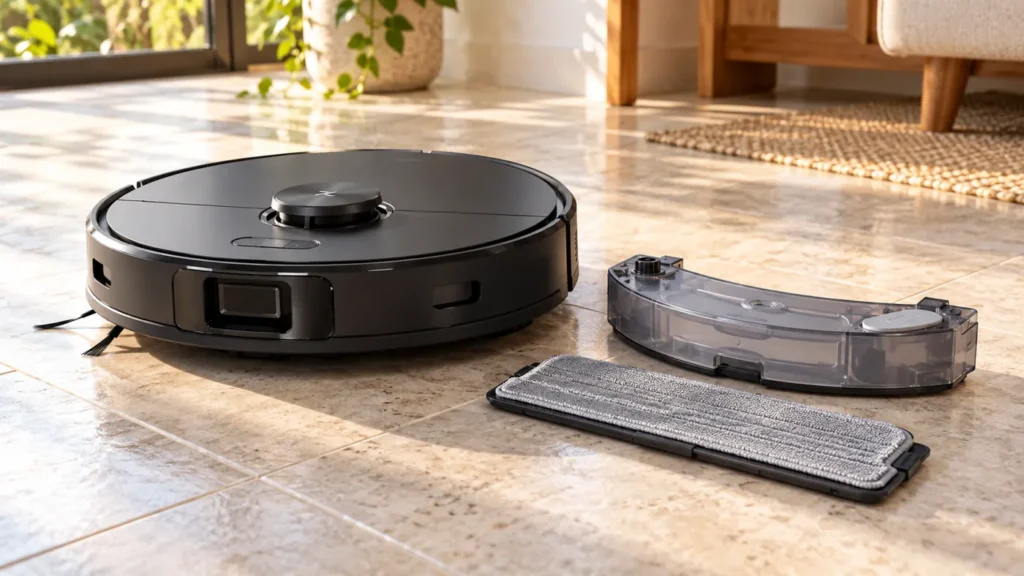
Begin with the quick checks. Stop if a step requires tools or experience you do not have.
If your Roborock S8 is not dispensing water, check the selected cleaning mode, refill the robot’s tank and prepare the mop cloth before assuming a pump has failed. A dry cloth at the start, a lifted mop on carpet and a cloth that dries out during a hard-floor task are different symptoms.
This guide is for the original S8 with its removable onboard water tank and rectangular VibraRise mop. Its charging dock does not refill that tank. Instructions for an Ultra dock’s clean-water container do not apply here.
Choose the check that matches your symptom
| What you see | First check | What it helps separate |
|---|---|---|
| The mop is dry from the start | Task mode, tank and cloth preparation | Setup versus a continuing water problem |
| The cloth starts damp, then dries | A short hard-floor comparison run | Initial moisture versus sustained supply |
| The mop lifts over a rug | Compare on bare hard floor | Carpet behavior versus water delivery |
| Only one scheduled room is affected | That room’s task settings | Room settings versus a general fault |
| Water leaks or forms a puddle | Stop the task and inspect the tank | A leak rather than insufficient supply |
1. Make sure the task includes mopping
Roborock’s S8 support guidance distinguishes Vacuum from Vac&Mop and Mop. A vacuum-only task is not a valid test of water delivery. Check the task you are actually running, including scheduled or room-specific choices, rather than only the setting shown on the app’s home screen. Labels can change with app updates.
If the app is offline and you cannot inspect those choices, use the S8 Wi-Fi connection guide first. Avoid a factory reset as your opening step for a dry mop: it adds setup work before the basic checks are complete.
2. Refill and reseat the onboard tank
Pause the robot before removing the tank. Following the S8 manual, fill with water that is not hot, close the stopper securely and slide the tank back until it clicks into place. Fit the mop mount until it also locks. Do not force a latch that will not engage.
For a troubleshooting comparison, plain water keeps the test simple. The manual permits Roborock-branded floor cleaner; avoid improvised detergent mixtures. Examine the removable tank for visible damage or leakage. If the tank is cracked or will not stay seated, resolve that before running another mopping task.
3. Start with a correctly prepared cloth
The S8 setup instructions call for dampening the cloth, wringing it until it stops dripping and attaching it firmly. Starting completely dry makes the first section of floor a poor indicator of ongoing delivery. A dirty, folded or poorly attached cloth also makes the result harder to judge.
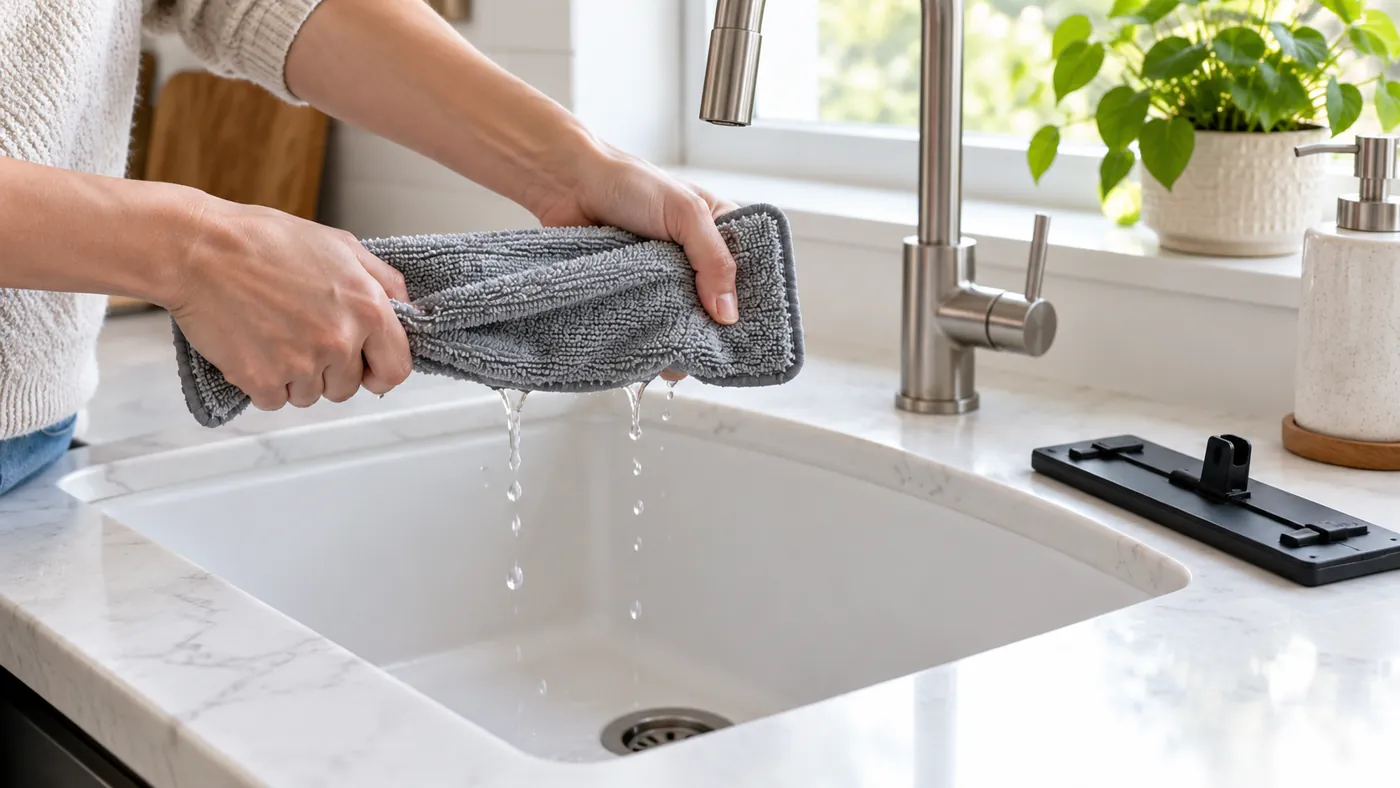
Use a clean cloth and fit it flat before the test. Do not pour water onto the robot body or try to soak the mop while it is installed. If the cloth is worn or will not attach securely, check the S8 replacement-part guidance before choosing a substitute.
4. Run a controlled hard-floor comparison
Choose a small area of sealed hard floor suitable for damp mopping, away from rugs. Use a task that includes mopping, with the tank filled and the prepared cloth fitted. Observe the task, then pause the robot before inspecting the cloth. Compare its moisture before and after; do not rely only on whether you can see a shiny trail.
A trail can be difficult to see on some finishes. Conversely, moisture from a pre-dampened cloth does not by itself prove that the robot is replenishing it. If the cloth consistently becomes much drier during repeated comparable tasks, record that pattern for support. A tiny change in tank level after a very short task is also difficult to interpret.
5. Check carpet behavior and mopping settings
The original S8 retracts its mop on carpet. Check delivery on bare hard floor instead of expecting a wet rug. Review the available mopping intensity controls for the task and make one adjustment at a time, then compare the same area again.
If loose dust and crumbs remain, solve that separate problem with the S8 pickup troubleshooting guide. Increasing moisture is not a substitute for collecting debris first. Likewise, a damp cloth that leaves a stubborn dried mark is not proof of a failed water system.
When the basic checks do not help
If the tank and mount are secure, mopping is selected and the prepared cloth repeatedly dries during a suitable hard-floor task, contact Roborock with the model, settings, any alert and a video. Describe whether it happens in every room and whether it began after changing the cloth, tank or cleaning solution.
Do not use needles, compressed air or unapproved descaling chemicals to open the water path. These are not part of the S8 setup checks above. The symptom alone cannot identify a pump, valve or internal connection fault, so avoid ordering internal parts on that assumption.
Keep the cloth clean between tasks and use the S8 maintenance schedule for routine care. Find related help in the Roborock S8 guide section.
FAQ
Will the original S8 dock refill its water tank?
No. Refill the removable robot tank yourself. An Ultra dock refill procedure belongs to a different setup.
Should the floor be visibly wet after every pass?
A visible wet trail alone is an unreliable test. Compare the prepared cloth’s moisture during a controlled hard-floor task, and stop if water pools.
Does a dry mop prove that the pump is broken?
No. Mode selection, preparation, installation and carpet behavior should be checked first. Persistent symptoms require further diagnosis.
Official references
- Roborock S8 user manual — tank, mop installation and carpet behavior.
- Roborock explanation of vacuum-only mode.
For routine maintenance, clean the S8 water tank or replace the S8 mop cloth. Check the result on a small hard-floor area before starting a full mopping run.