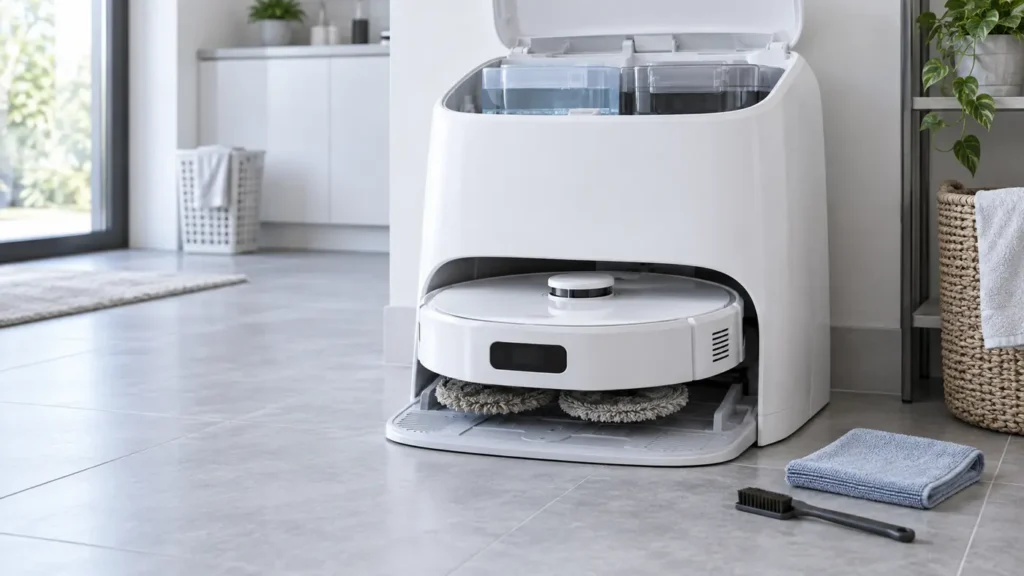
Begin with the quick checks. Stop if a step requires tools or experience you do not have.
Quick answer: If your Roborock Qrevo Curv dock does not wash the mop cloths, start one manual wash with the robot docked. If that works but automatic washing does not, confirm that the last task used the mops, began at this dock, and shows the dock on the active map. If manual washing also fails, fill and reseat the clean-water tank, empty and reseat the dirty-water tank, and check the removable cleaning-tray module and filter. Read the specific app alert before repeating a failed cycle.
Not sure which check to try next?
Follow guided questions and report what changes after each check.
Start step-by-step diagnosisThis guide is about a wash cycle that does not start or complete at the dock. If washing works but the cloths become dry during floor cleaning, use the separate Qrevo Curv dry mop pads guide. The checks here follow the Qrevo Curv user manual.
Start with one manual wash
Seat the robot on the powered dock. Use the mop-washing command in the Roborock app, or press and hold the robot’s Dock button while it is docked, as the manual describes. Wait for the attempt to finish, then note the result:
| Result | Next check |
|---|---|
| Manual wash works, automatic wash is skipped | Was a mopping task used? Did it start from the dock, and is the dock on the active map? |
| Manual wash will not start or stops with an alert | Read the app message; check both tanks and tray installation |
| Cycle runs but cloths are still dirty | Attach both cloths flat; try the app’s Deep washing mode for heavy soil |
| Water remains in the tray after the attempt | Check the dirty-water tank and removable tray; use the drainage guide if it persists |
The sound of a pump alone cannot show which internal part has failed. Stop testing if water leaks outside the wash area or the dock repeatedly reports the same error.
Why automatic washing can be skipped
Roborock says the dock does not wash cloths that were not used. A vacuum-only run or a task that never used the mops may therefore finish without washing them. The manual also says that if cleaning did not start from the dock, or the dock is absent from the active app map, the robot will not return to it for mop washing.
- Check that both mop cloths are attached flat to their mounts.
- Place the robot on the dock and select a mopping task on a nearby hard-floor area.
- Verify the active map shows the dock in the correct location. Leave the dock in place during the run.
- Let the robot return normally and observe whether washing begins.
If the robot cannot return or align at the dock, resolve that first with the Qrevo Curv docking guide. Do not delete the map solely because one vacuum-only run skipped washing.
Check the clean and dirty water tanks
Fill the clean-water tank with cold tap water, close and latch the lid, wipe its exterior dry, and seat it in the dock. Empty the dirty-water tank, close and latch its lid, and reinstall it. The manual names low or incorrectly placed clean water and full or incorrectly placed dirty water among the checks for a wash that will not run. Do not add disinfectant, hot water, vinegar, or household detergent; use only solution recommended by Roborock.
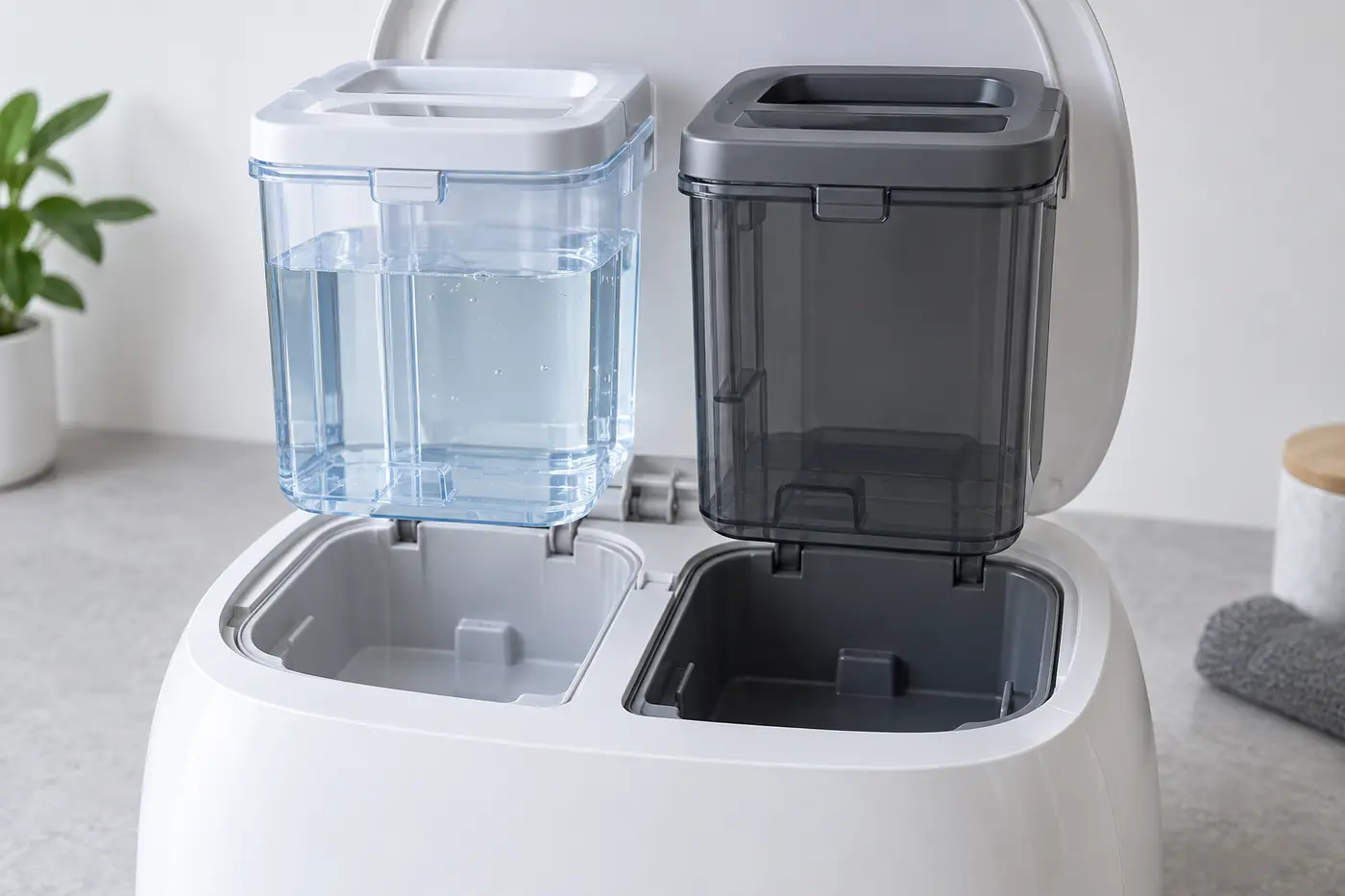
A steady red dock indicator means a dock error, but the manual lists several possibilities, including tank placement, the tray and filter, and voltage. Follow the app or voice alert instead of treating the light as a pump diagnosis.
Clean and reinstall the removable tray
Unplug the dock before maintenance and let any hot wash area cool. Remove the cleaning-tray module. Roborock instructs owners to remove its tray and filter, rinse those removable pieces with water, reinstall the filter and tray, then reinstall the module. Check that the parts sit properly; a missing or poorly installed tray or filter is another documented reason for a dock error and failed washing.
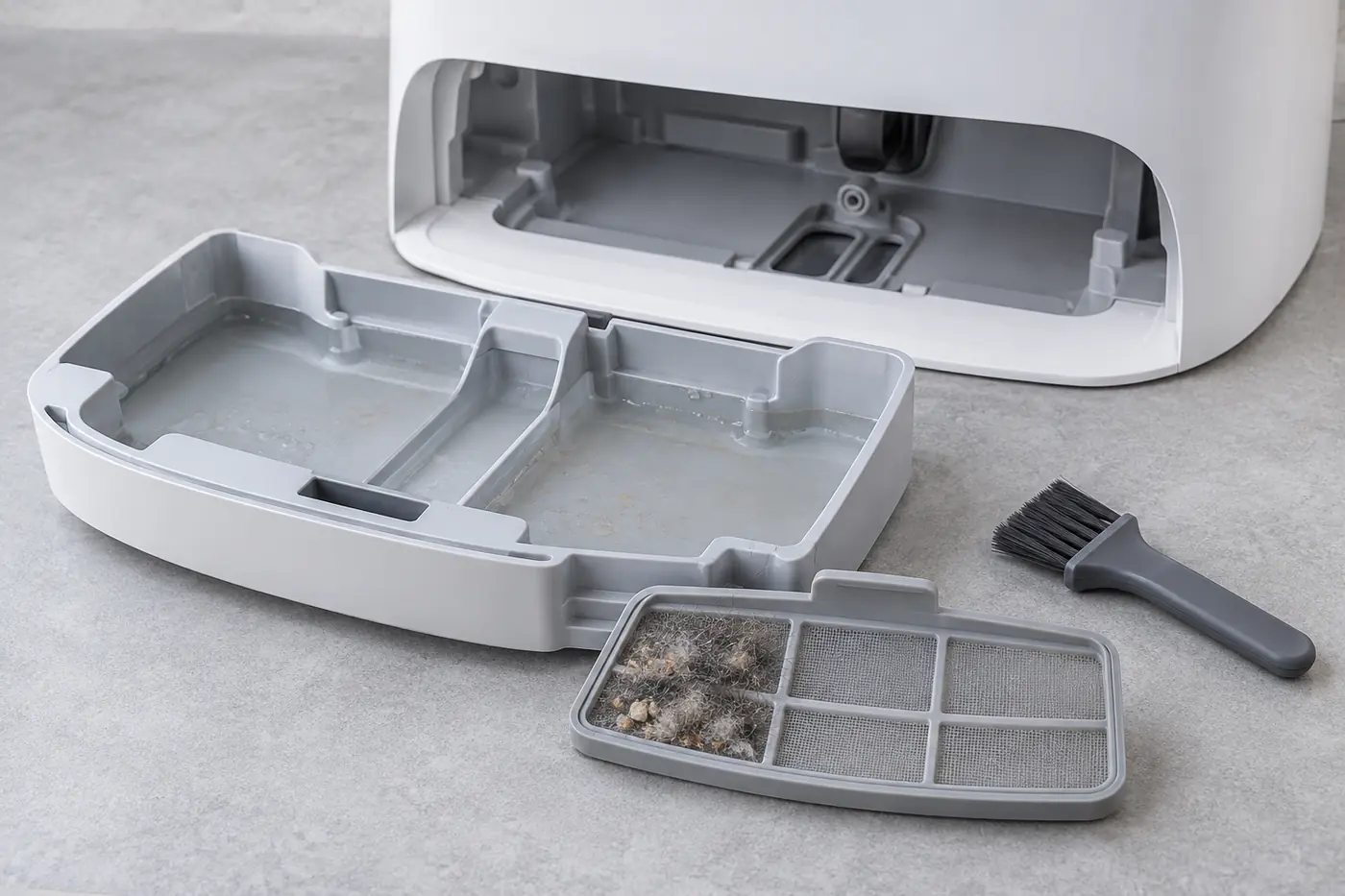
Keep metal tools out of the water openings. Do not wipe the power cord or charging contacts with a wet cloth. Reconnect the dock only after the removable parts are in place and the outside is dry, then try one manual wash again.
If the dock washes poorly or does not drain
For cloths that come out dirty after a completed wash, wash the cloths themselves and attach them flat. The manual suggests selecting Deep mop washing in the app when the floor is dirty. Do not judge the heater by touching the water dispensers: hot water can burn.
If the cleaning tray holds dirty water or the dirty-water tank remains empty after a wash attempt, see the focused Qrevo Curv dirty-water drainage guide. This observation concerns water recovery and should be described to support exactly as seen; it does not establish which internal component is at fault.
If washing finishes but the cloths remain damp after they are parked at the station, use our Qrevo Curv mop-drying checks. Drying has separate app and dock controls from the wash cycle.
When to contact Roborock
After one controlled retry with correctly installed tanks and tray, contact Roborock Support if washing still will not start, water never reaches the cloths, a leak develops outside the tray, or the same app error returns. Record the error and a short video showing the stage where the wash stops. Do not open the powered dock, pump, heater, or internal tubing.