Begin with the quick checks. Stop if a step requires tools or experience you do not have.
Quick answer: If your Roomba j7 drives over crumbs but leaves them behind, empty the robot’s bin, tap dust from its dry filter, and clear hair from both rubber rollers and their end caps. Check the open passage between the cleaning head and bin before buying a part. If it picks up debris but drops a clump later, the bin may be filling during the job. The j7+ Clean Base empties the bin only after docking; a blocked Clean Base is a separate problem.
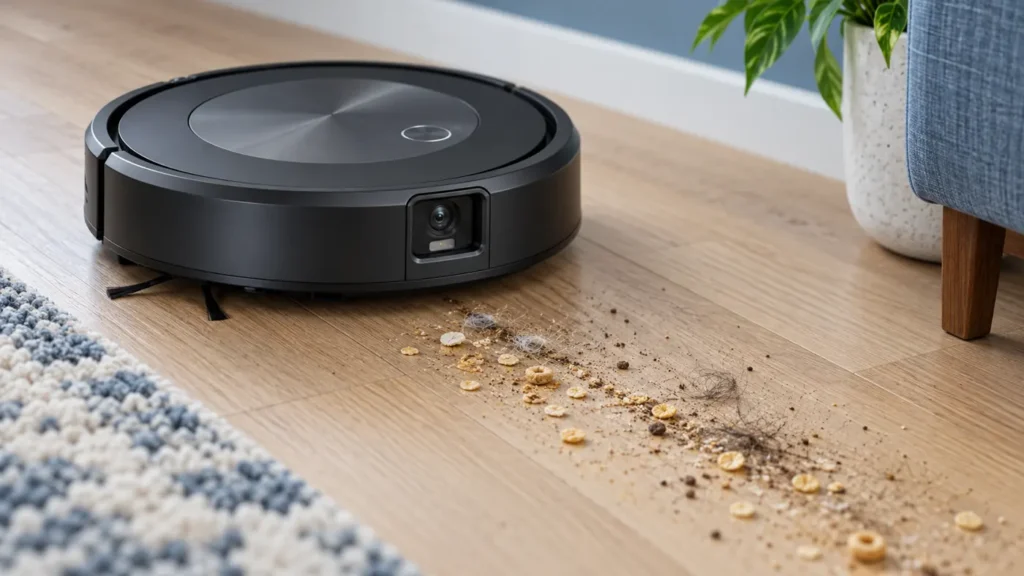
Start with a repeatable test. Put a small pinch of dry crumbs on a clear hard floor and run a short cleaning job over that spot. Avoid powder, liquid, sharp fragments, and large pieces that could jam the robot. Notice whether the j7 actually crosses the debris, pushes it aside, takes some into its bin, or leaves a clump behind later. Those results point to different checks.
What the pattern tells you
| What happens | Check first |
|---|---|
| Crumbs stay exactly where the j7 passed | Bin, filter, rubber rollers and the vacuum passage |
| Debris is pushed away from edges | Edge-sweeping brush and the type of debris used for the test |
| Pickup is good at first, then hair appears in clumps | How full the robot’s bin gets during the job |
| Robot bin is full after docking on a j7+ | Clean Base bag and evacuation path, after confirming pickup works |
| The robot never crosses the patch | Job coverage, obstacles and navigation, rather than suction |
1. Empty the robot bin and clean the filter
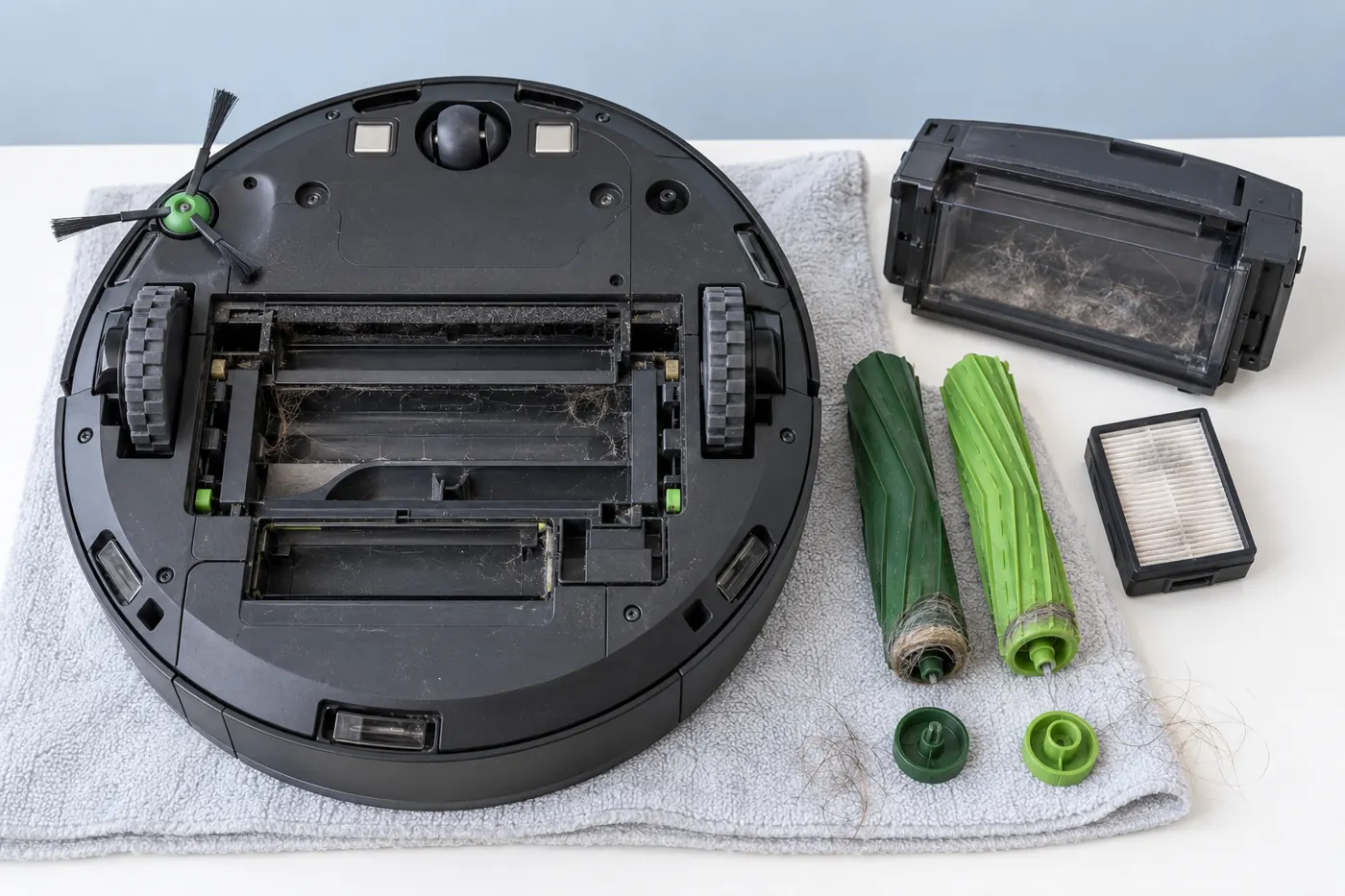
Pause the job and press the bin release at the back of the j7. Empty the contents and look into the bin opening for a wad of hair or paper. Remove the filter from the bin and tap it gently against a trash container until loose dust falls out. Refit it securely before the next test. Do not rinse the filter: iRobot says these filters are not designed to contact liquid.
The removable bin itself can be rinsed by hand with warm water after the filter is out. Let the bin dry completely before putting the dry filter back and sliding the bin into the robot. Do not put the bin in a dishwasher. For a quick diagnosis, emptying and dry filter cleaning are enough; there is no need to wet the bin.
If the robot has been working through pet hair or a large backlog of debris, check the bin again partway through the next job. A full bin can make it redeposit hair. The iRobot HOME app may offer a setting to stop a cleaning job when the bin fills; labels can differ by app version.
2. Free both rubber rollers, including their ends
Turn the robot over on a soft towel with the job stopped. Open the cleaning-head latch, lift out both rubber rollers, and note how their ends fit before removing anything else. Pull away hair and threads from the roller ends and from under the removable end caps. Clean the bearing areas you can reach. A roller may look clear in the middle while a tight ring of hair at its end stops it turning freely.
Put the end caps back, match each roller’s peg shape to its socket, and close the latch firmly. Check that the rollers can move without binding. If a rubber blade is torn, a cap is missing, or a roller still cannot turn after accessible cleaning, use the correct j-series replacement part or iRobot support. Do not open the cleaning-head motor.
3. Inspect the vacuum path
With the bin and rollers removed, look through the accessible air passage from the cleaning head toward the bin. A paper scrap or compacted hair can obstruct it even when the bin is nearly empty. Lift out only material you can reach without pushing it deeper; use a soft, dry tool if necessary. Reinstall the rollers and bin, then repeat the same small crumb test.
Do not pour water into the robot, run it with the bin or filter missing, or poke a hard tool into the fan. The rinseable part in iRobot’s instructions is the removed bin, not the robot’s internal air path.
4. Check the edge brush and make one fair retest
If debris remains mostly along a wall, look at the single edge-sweeping brush underneath. Remove any hair wrapped around it and inspect whether its arms are badly bent or missing. A brush can fling larger crumbs away instead of feeding them under the rollers, so repeat the test with a smaller amount of ordinary dry debris on open hard floor as well as near the edge. One stray piece is not enough to diagnose a failed vacuum motor.
If pickup improves but heavy pet hair still builds up over a whole-house job, empty the bin more often and consider two cleaning passes where the app offers that preference. iRobot specifically recommends an extra pass for pet hair and periodic deeper cleaning. That setting does not substitute for clearing a blocked filter or roller.
What if the j7+ does not empty itself?
Look inside the robot bin after your short test. If it contains the crumbs, the robot did pick them up. A full bin after returning to a Clean Base points instead to the disposal bag, the connection between robot and base, or an obstruction in the base’s evacuation path. Keep this diagnosis separate from poor floor pickup. Disconnect the base before inspecting accessible ports; follow the Clean Base instructions for the exact model rather than opening its motor housing.
When to stop and request service
After cleaning, run the same small test on hard floor and compare the debris left behind and what reached the bin. If the bin is empty despite the robot crossing the patch, the passage is clear, the rollers turn freely and the filter is clean, record the app error and a short video for iRobot support. Grinding sounds, a roller that cannot turn, visible damage or a persistent error also justify stopping. These external checks cannot prove that the suction fan or cleaning-head module has failed.
FAQ
Can I wash the Roomba j7 filter?
No. Tap dust from the filter while it is dry; iRobot says it must not be washed. You may rinse the removed bin by hand after taking the filter out, then let it dry completely before reassembly.
Why does it leave hair clumps only near the end of a job?
A bin filling with pet hair can redeposit material. Empty it during a long job and inspect the filter and rollers. If the j7+ picks up hair but its base does not evacuate the bin afterward, treat the base as a separate symptom.
Should I replace the vacuum motor first?
No. A full bin, dusty filter, hair under roller caps or a blocked vacuum passage can produce the same visible result. Replace only a visibly worn compatible consumable or follow a model-specific diagnosis from iRobot.
For other j7 faults, see our charging checks and wheel and bumper checks, or browse the Roomba troubleshooting hub. The maintenance steps above follow iRobot’s guidance on poor pickup in the j series, bin and filter care, and rubber roller care. RoboFixGuide is independent of iRobot.
If the empty bin still triggers a full-bin warning, use the j7 full-bin sensor and port checks before changing cleaning settings.