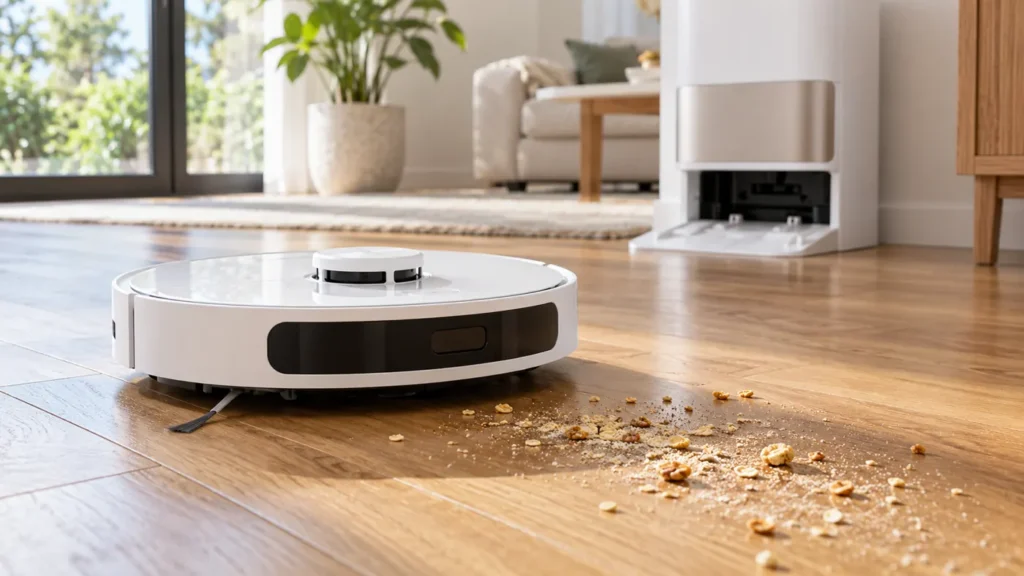
Begin with the quick checks. Stop if a step requires tools or experience you do not have.
If your Dreame L10s Ultra is not picking up dirt, first establish whether it actually passes over the debris with vacuuming enabled. A missed patch, a full onboard dustbin and weak pickup along the robot’s entire route need different checks. This guide covers the original L10s Ultra, rather than the similarly named Pro or later generations.
Start here: select a short vacuuming task on dry hard flooring, empty the robot’s bin and watch one pass. Compare what remains on the floor with what reaches the bin before buying replacement parts.
Match the symptom to the right check
| What you notice | What to check next |
|---|---|
| Robot avoids the dirty area | Review the selected room, route and map restrictions. |
| It crosses debris but leaves most behind | Compare vacuum mode, bin condition and brush movement. |
| Pickup works briefly, then deteriorates | Check whether debris accumulates in the bin or intake. |
| Only carpet or wall edges look poor | Compare the same task on open hard flooring. |
| Dirt remains in the bin after docking | Investigate emptying separately from floor pickup. |
1. Run a small comparison task
Choose an accessible area with a few ordinary dry crumbs already on the floor. Avoid flour, liquids, sharp fragments or a deliberately large mess. Keep the room selection and floor conditions the same between tests, and change just one setting at a time. A photograph before and after is more useful than judging the whole house from memory.
Check the task shown in your app. If it is mopping only, select a task that includes vacuuming. Where suction choices are available, compare the current setting with a higher one. Improvement points toward a setting or floor-load issue; no improvement tells you to continue with the physical checks. Noise alone does not measure airflow.
2. Inspect the bin and filter
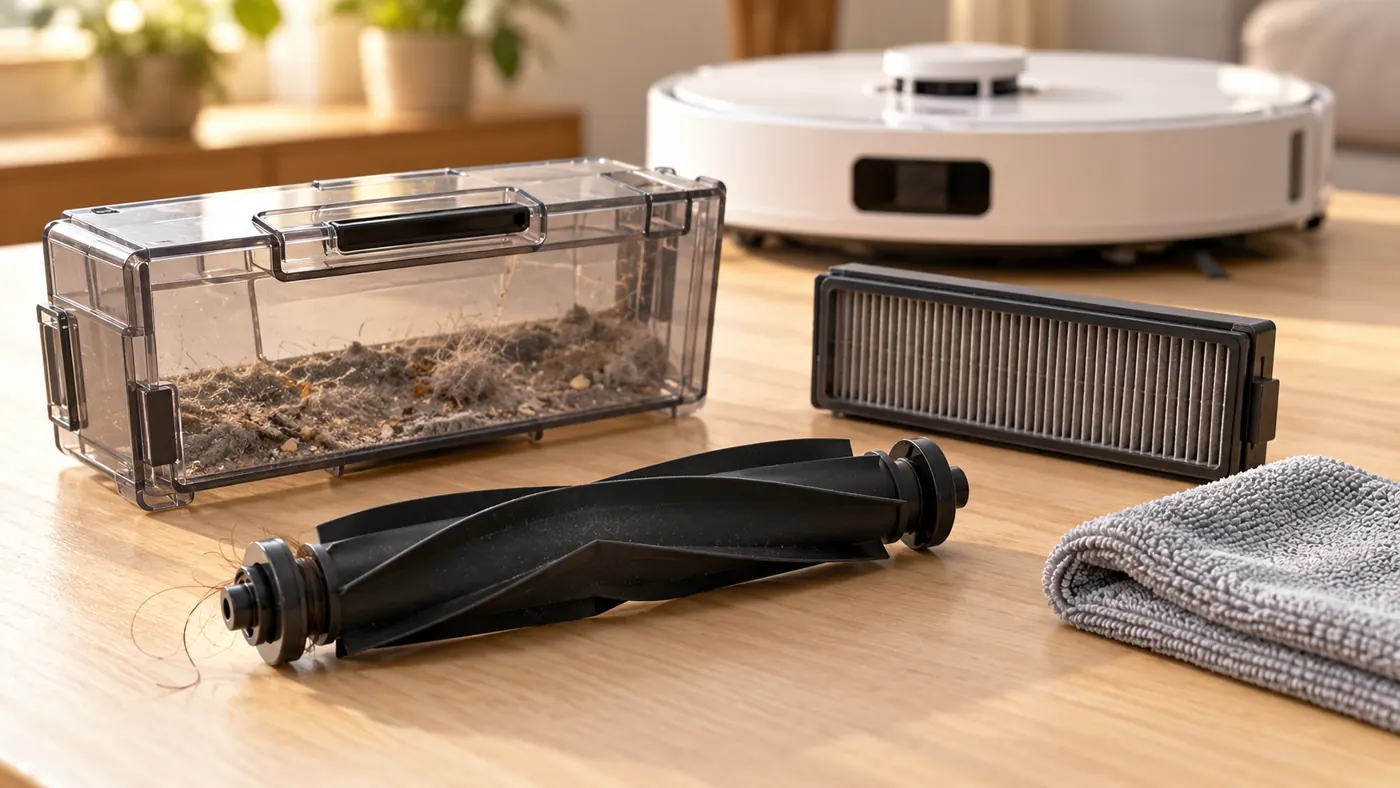
Switch the robot off before maintenance. Empty the onboard dustbin and check that the filter sits correctly. Dreame’s manual says washed bin and filter parts must dry completely before reinstallation; use clean water without detergent, and do not scrub the filter with a brush or sharp object.
Look for a change that coincides with the poor pickup: a recently fitted filter, maintenance earlier that day or an unusually heavy pet-hair load. If a replacement does not fit securely, compare it with the original part and verify compatibility before continuing. A maintenance reminder is a prompt to inspect the component, not proof that it has failed.
3. Check the roller and visible intake
Following the manual’s access instructions, remove tangled hair from the main brush and its ends, then reinstall the brush and cover securely. Inspect the visible intake for a clump that prevents debris entering the bin. Do not reach into concealed passages or force a part that will not seat.
Compare the result with your first short task. If a clump disappears from the floor and appears in the bin, the pickup path is working for that sample. If debris gathers beside the robot instead, observe whether it was pushed away before reaching the intake. This helps separate edge sweeping from collection underneath the robot.
4. Separate missed coverage from weak suction
A robot cannot collect dirt from a patch it never visits. Watch its route near chair legs, rug edges and narrow gaps. Move one obstacle and repeat the same room task. If coverage improves, adjust the room layout or task boundaries rather than treating the symptom as a suction failure.
When cleaning ends prematurely, follow the L10s Ultra stopping checks. If dry debris is collected but the mopping result is poor, use the separate water-delivery guide.
5. Check what happens after docking
Successful collection during a run does not establish that the station emptied the bin afterward. Inspect the onboard bin before and after an emptying cycle. A bin that stays loaded makes the next task harder, even if the previous floor pass worked. Note any station alert and consult its exact instructions instead of repeatedly starting cycles.
When to contact Dreame
If an empty bin, correctly seated dry filter and unobstructed brush do not improve a short vacuuming task, record the cleaning mode, floor type, alert wording and a brief video. Persistent abnormal noise or a brush that will not operate warrants support assessment. These observations do not identify a failed motor on their own.
FAQ
Does stronger suction always solve poor pickup?
No. Compare settings on the same small area. A route problem or obstruction still needs attention if changing suction makes little difference.
Should I replace the filter immediately?
Inspect its condition and fit first. Use the L10s Ultra parts guide before ordering a replacement.
Why does the robot leave dirt near furniture?
Observe whether it reaches that spot. Access and coverage may explain a local patch better than a general pickup problem.
For routine care, see the L10s Ultra maintenance schedule and Dreame troubleshooting hub.
Official reference: Dreame original L10s Ultra user manuals. Use the edition supplied for your region.
If dirt collects inside the robot but remains there after docking, check the Dreame L10s Ultra Auto-Empty Not Working guide to distinguish the next stage of the problem.
For roller removal and hair clearing, see How to Clean Dreame L10s Ultra Main Brush.
For removal, rinsing and complete drying, see How to Clean Dreame L10s Ultra Dust Bin and Filter.