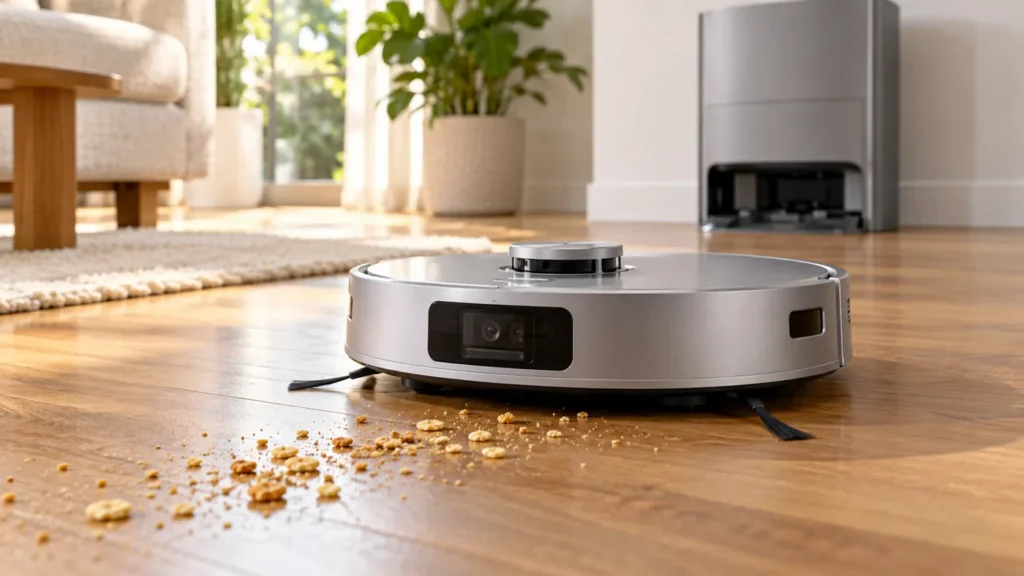
Begin with the quick checks. Stop if a step requires tools or experience you do not have.
If your Ecovacs T20 OMNI is not picking up dirt, first watch whether it actually passes over the debris. A missed strip beside a wall, crumbs left underneath the robot and a dustbin that stays full after docking describe different problems. Cleaning the filter will not make the robot visit an excluded area, while rebuilding a map will not remove hair wound around the main brush.
Start with a short vacuuming task on an accessible hard floor. Use ordinary loose dry crumbs already present; do not test with liquid, sharp fragments or a large pile of powder. Observe the route and inspect the bin after the task. This gives you a useful comparison before changing several settings.
Match the symptom to the next check
| What you see | Check first |
|---|---|
| Debris remains where the robot never travels | Task area, obstacles and map restrictions |
| It drives over crumbs but leaves most behind | Dustbin, filter and main brush |
| Open floor looks clean but edges stay dirty | Side-brush movement and fitting |
| Pickup deteriorates partway through a run | Bin contents and tangled brush ends |
| The bin fills during cleaning but stays full at the dock | Station auto-empty operation |
1. Confirm the task includes vacuuming
Check the selected cleaning task and its room preferences in ECOVACS HOME. Make sure vacuuming is included and that the intended room is selected. Compare the result at one higher suction setting, keeping the same test area. If pickup improves, you have a settings comparison; if the same crumbs remain untouched, continue with the physical checks.
A louder fan alone does not establish a fault. Ecovacs explains that stronger suction, carpet AutoBoost and room-specific preferences can change operating noise. See its T20 OMNI noise guidance. Record when the sound changes instead of treating every increase in volume as a damaged motor.
2. Empty the bin and inspect the filter
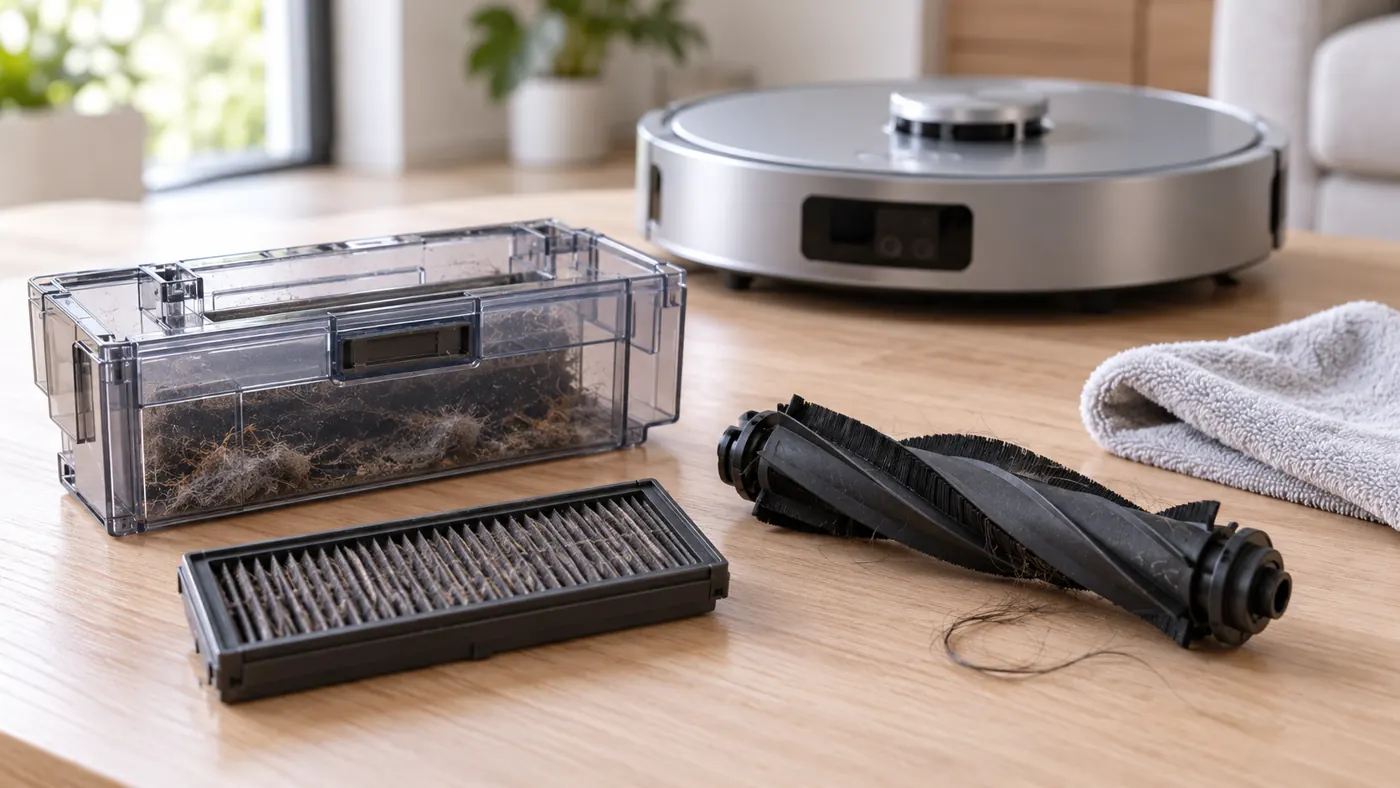
Stop the task and switch off the robot before handling its cleaning parts. Remove the dustbin and empty it. Follow Ecovacs’ dustbin care instructions to remove the filter assembly, clear accumulated dust and reassemble it correctly. Check for debris around the bin opening and visible suction inlet.
If any cleaned component is damp, let it dry completely before reuse. A freshly washed part can look clean while still being unsuitable for a vacuuming test. Do not operate without the filter to compare suction. Look for a damaged seal, a filter that will not sit flat or a lid that will not close normally; photograph these findings before ordering replacements.
3. Clear the main brush and its ends
Place the switched-off robot upside down on a soft, stable surface. Ecovacs’ main-brush procedure calls for removing the cover and brush assembly, clearing entangled debris and checking both end accessories. Reinstall the assembly securely and check that the brush turns smoothly by hand before refitting the cover.
Work gently around the ends. Pulling hard on an unknown fitting or cutting against the brush surface can damage a reusable part. If the brush catches after cleaning, check its seating again. A cracked end piece or a cover that cannot latch needs attention before another cleaning run.
4. Separate edge cleaning from route problems
Watch the side brushes during a normal vacuuming pass. If one stays still or leaves a consistent dirty edge, use the T20 OMNI side-brush guide. More suction cannot restore a brush that is tangled or fitted incorrectly.
If whole patches remain because the robot does not enter them, review the selected area and nearby obstacles. The mapping troubleshooting guide helps you assess that pattern. Save a screenshot showing the missed area before changing the map, so you can compare the next run with the original route.
5. Check what happens after docking
A bin containing collected crumbs proves that some pickup occurred. If it remains full after returning to the station, follow the auto-empty checks. Keep this separate from floor pickup: a dock problem can leave the robot starting its next task with an already loaded bin.
Repeat the same small-area test after maintenance. Note the suction setting, whether both side brushes move and how much debris reaches the bin. If pickup remains poor with correctly fitted dry parts, contact Ecovacs with this evidence and any alert text. Avoid diagnosing an internal fan from a single weak-cleaning result.
Frequently asked questions
Should I use maximum suction all the time?
Compare it on the problem area first. It may help loose debris, but it cannot correct missed coverage, a full bin or an obstructed brush.
Why is dirt left mainly along walls?
Check whether the robot approaches that edge and whether its side brushes move during vacuuming. The pattern is more useful than a general claim that suction is weak.
Should I replace every cleaning part together?
Replace a part because it is damaged, worn or unsuitable for this model. Use the T20 parts compatibility section and keep a regular maintenance routine.
Find related charging, station and mopping checks in the Ecovacs troubleshooting hub.
If the central roller catches or a brush alert returns, follow the T20 OMNI main-brush guide.
For the separate bin, filter and drying maintenance steps, follow the T20 OMNI dust-bin cleaning guide.