Begin with the quick checks. Stop if a step requires tools or experience you do not have.
If your Ecovacs T20 OMNI says the mop-pad plates are not fully installed, save the exact alert and inspect their fit before assuming a motor fault. A plate-installation message, an entanglement message and a small amount of powder around a support pole are three different observations.
Start with the manufacturer’s removal and installation method. Do not force a holder into place, glue it to the robot or keep running a task while a plate is visibly loose. A careful fit check gives you a clearer result than repeated cleaning attempts.
Match the observation to the next check
| What you observe | Check next |
|---|---|
| Alert says plates are not fully installed | Use the documented refit and restart procedure |
| Alert says plates are entangled | Inspect accessible debris at the plates |
| Small powder residue after long use | Review the manufacturer’s wear explanation |
| Plate is loose, cracked or will not seat normally | Photograph it and contact support |
| Plates fit but do not rotate | Use the separate rotation guide |
| Pads are dry while holders remain fitted | Use the water-supply guide |
1. Record which plate warning appears
Ecovacs’ mop-plate troubleshooting guidance recommends removing and refitting the plates until the installation click is heard, then restarting for an incomplete-installation alert. For an entanglement alert, it directs an underside debris check and cleaning. Persistent warnings after the relevant step should go to Customer Care.
Note whether the warning began after removing pads, changing holders or cleaning the underside. Keep the wording intact rather than reporting that mopping generally fails. If you can identify which side appears loose, record that observation too.
Photograph the fitted plates before removing them. That preserves their original position and any obvious debris. Avoid reaching under a running robot to check the fit.
2. Use the original removal procedure
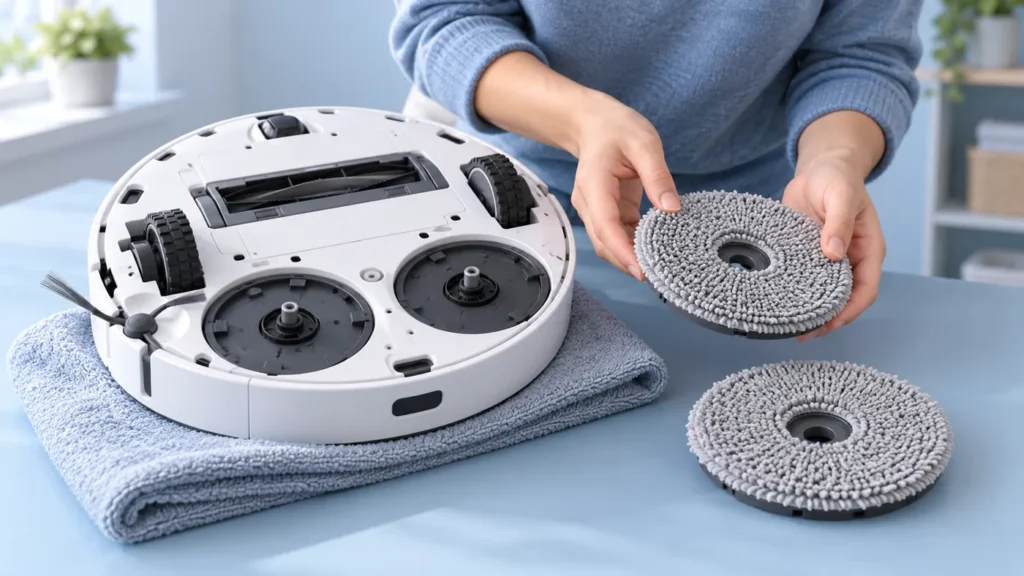
Stop the task and power off for handling. Ecovacs’ pad and plate maintenance instructions describe placing the robot upside down on a soft mat. For removal, the plates should be lifted, rotated outward, then held with both hands and lifted with a little force.
Read the linked original sequence before acting. If the lifted position or outward movement is unclear, ask Ecovacs to demonstrate it for the T20 rather than improvising. The illustrations here are general maintenance scenes, not an exact mounting diagram.
Support the robot and keep its upper sensor housing from hard contact. Remove only the parts covered by the maintenance procedure. You do not need to loosen screws or open the robot for this fit check.
3. Check cloth alignment and refit the plates
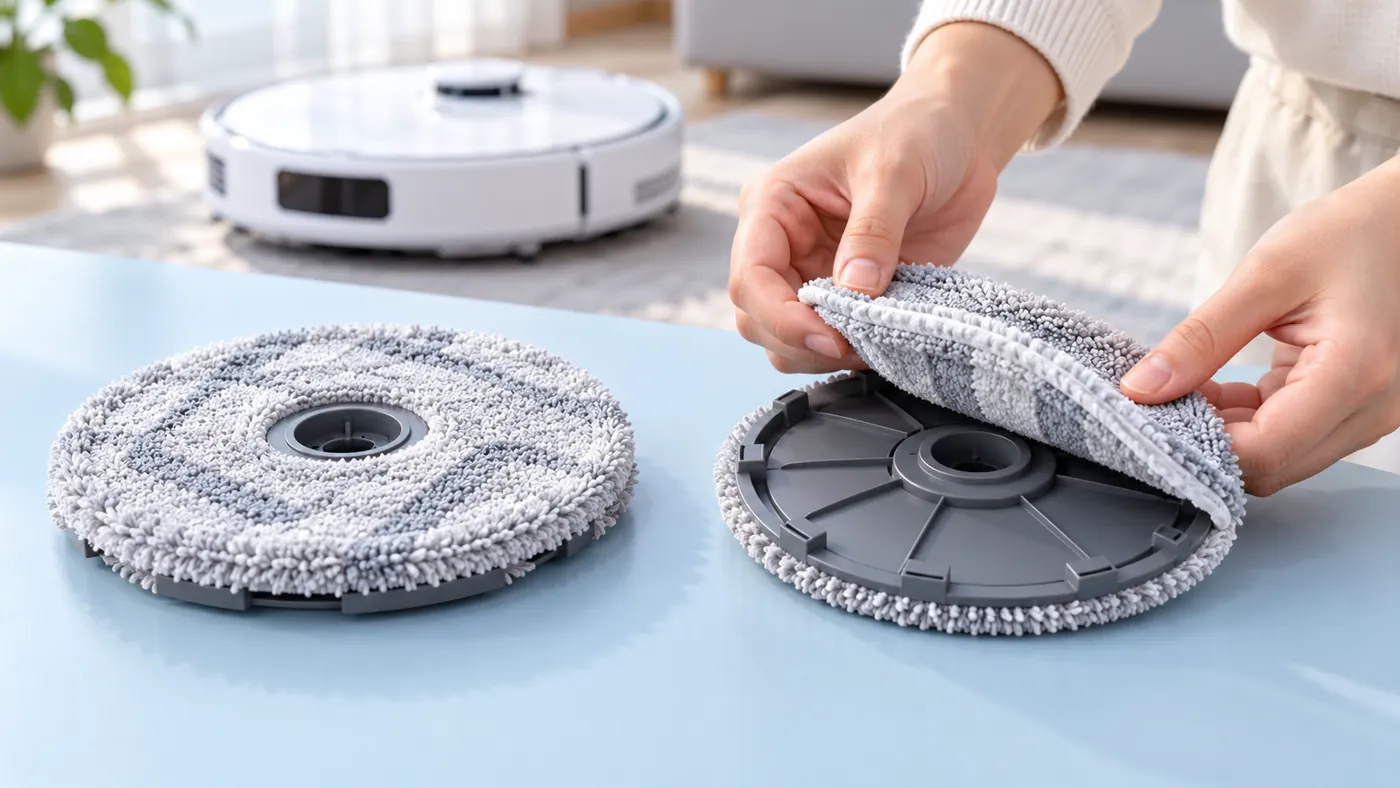
The maintenance instructions say to align the washable pads with their plates and press them into place, then attach the plates to the robot with the installation click. They also describe washing and drying removed pads before reuse.
Inspect the visible holder and its accessible attachment area for loose material or obvious damage. Keep the cloth aligned rather than leaving an edge folded across the area you are inspecting. If the parts were recently replaced, retain the packaging and model information.
Follow the normal installation method without adding adhesive or forcing an uncertain fit. If a holder will not seat through that method, stop and photograph the parts. An approximate visual match to another model’s accessory is not a compatibility check.
4. Keep residue separate from damage
The troubleshooting page explains that a small amount of powder can appear on the support pole after long use because of rotational wear. It says that residue can be cleaned away and does not affect use.
That narrow explanation should not be stretched to cover a cracked holder, a loose plate or substantial damage. Record what you actually see. If you cannot tell whether the material matches the documented small residue, send a photo to support.
For an entanglement warning, remove accessible debris through the documented maintenance route. Do not insert sharp tools into the support area or pull hard on material disappearing inside the robot.
5. Restart and observe the same task
After refitting, return the robot upright and perform the normal restart described for the installation warning. Compare the same ordinary permitted task and record whether the alert returns immediately or during operation.
If the plates remain fitted but rotation fails, use the mop-pad rotation guide. If the holders work but the pads receive no water, use the water-supply checks.
If the robot cannot enter the station, use the docking guide and include the plate-fit result. For unusual mopping noise, keep a recording and review the noise guide.
When to contact support
Contact Ecovacs if the installation or entanglement alert persists after the matching steps, or if a holder looks damaged or remains loose. Send the exact warning, photos, accessory model information and the result after refitting and restarting.
Ask support to confirm the service route or compatible replacement before buying another holder. Do not infer a failed motor solely from an installation message.
Frequently asked questions
Is a small powder residue always a fault?
The manufacturer documents a small residue from long-term rotation. Visible damage or uncertain residue needs separate assessment.
Should I glue a plate that feels loose?
No. Use the original installation method and contact support if the fit remains wrong.
Does the installation warning prove the mop motor failed?
No. Check fit and the exact alert before drawing a component diagnosis.
Find related checks in the Ecovacs hub.