Begin with the quick checks. Stop if a step requires tools or experience you do not have.
If your Ecovacs T20 OMNI makes a loud noise, note when it happens before removing parts. A stronger fan sound on carpet, clicking during a turn and noise from pad washing at the station describe different events. The location and cleaning stage are more useful than judging the robot by volume alone.
Record a short clip from a safe distance and keep any alert text. Include the surface and selected mode. If you hear persistent scraping, stop the task and inspect accessible parts with the power off rather than running repeated full-house tests.
Match the sound to the next check
| What you hear or observe | Check first |
|---|---|
| Fan grows louder on carpet | Auto-Boost and the selected suction level |
| Volume changes between rooms | Housekeeper or customized preferences |
| Repeated clicks or scraping while moving | Accessible brushes, wheels and visible debris |
| New sound after cleaning or replacing parts | Dry filter, seating and cover latch |
| Noise occurs only at the station | Identify pad washing or dust collection first |
1. Compare the suction settings
Ecovacs’ T20 noise guidance explains that higher suction is louder, carpet Auto-Boost can raise suction automatically, and Housekeeper or custom preferences can vary it between rooms. These changes can be expected behavior.
Compare one short vacuuming pass on the same open hard-floor area at the original setting and one lower setting. Keep the route and task type similar. A smooth change in fan volume is a different observation from a repeating click that remains at both settings.
Note whether the sound starts at a particular rug edge or follows the robot across the whole room. Avoid changing several room preferences together. Keeping one consistent comparison gives support a clearer description if the sound remains unexplained.
2. Inspect the main brush and cover
Switch off the robot before turning it over on a soft, stable surface. Follow the main-brush removal procedure to remove the cover and roller, clear entangled debris and inspect the end accessories. Reinstall the assembly securely and check smooth manual rotation before attaching the cover.
Look for a loose latch, a cracked fitting or debris held between the cover and its seat. A noise that began immediately after maintenance deserves this installation check. Do not force a cover that will not close normally or cut against the roller surface to release a strand.
If the roller catches after correct reassembly, use the T20 main-brush guide. Run the next floor comparison with the cleaning parts and cover installed. Keep any uncertain internal repair for Ecovacs support.
3. Check the wheels and side brushes
Inspect accessible wheel tread and brush hubs for thread or hair. Ecovacs’ driving-wheel care instructions describe pressing and rotating the wheels with the robot off, removing entangled debris and wiping the surfaces with a semi-dry cloth.
Compare the two sides gently. Photograph a wheel that resists movement or a brush hub that looks distorted. Do not force a wheel, pour water into its opening or add lubricant to make a noise disappear temporarily.
For a small edge brush that is loose, scraping or stationary, follow the side-brush cleaning and fitting checks. If the sound happens only where furniture traps the robot, assess that location with the getting-stuck guide.
4. Review bin and filter maintenance
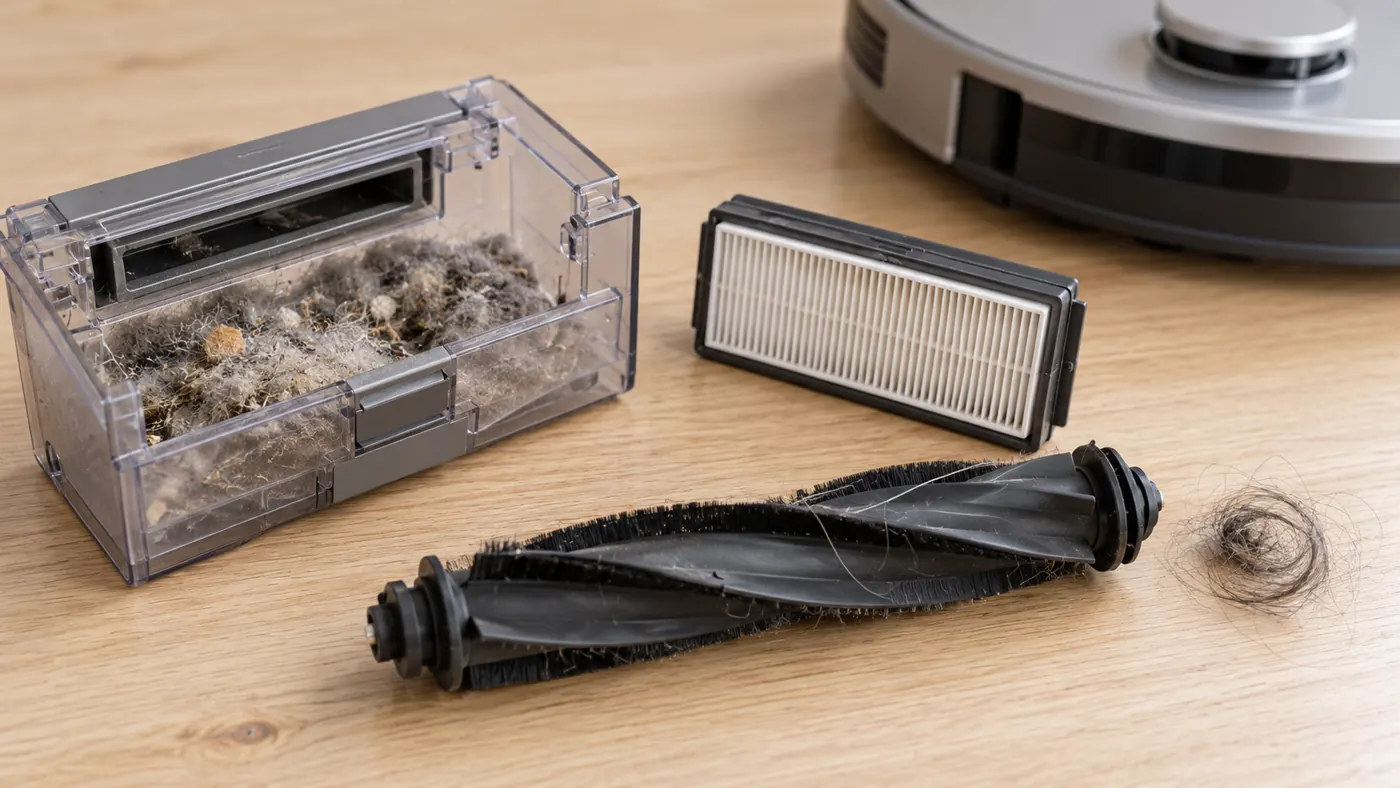
Follow Ecovacs’ dustbin care procedure to empty the bin and clean the filter assembly. Any component cleaned with water must dry before use. The noise guidance specifically warns that a wet filter can produce abnormal noise.
Check whether the sound began on the first run after washing parts. Let them dry completely and ensure the filter sits correctly before comparing again. Do not run without the filter as a suction experiment. For weak pickup alongside the noise, use the dirt pickup guide.
5. Identify the mopping or station stage
Ecovacs describes operating sounds from the mop mechanism and from contact during station pad washing. A station wash cycle is therefore not a useful comparison with quiet floor vacuuming. For clicking around the pads, its guidance recommends checking for entangled debris.
Record the activity shown in the app when the sound starts. Does it happen while washing, while dust is collected, or after the robot moves onto the floor? If a plate alert appears, follow the mop-plate checks. Avoid opening the station housing to search for an assumed cause.
Frequently asked questions
Does louder suction mean the motor is failing?
No. Compare settings and the cleaning stage first. A persistent mechanical sound needs separate inspection.
Should I replace all brushes to cure a noise?
Look for a specific damaged or worn part. Use the T20 compatibility section before ordering.
When should I contact support?
Contact Ecovacs for persistent scraping, visible damage or recurring alerts after accessible cleaning and correct fitting. Send the clip, mode, surface and maintenance history.
See the Ecovacs hub and T20 maintenance schedule for related care.