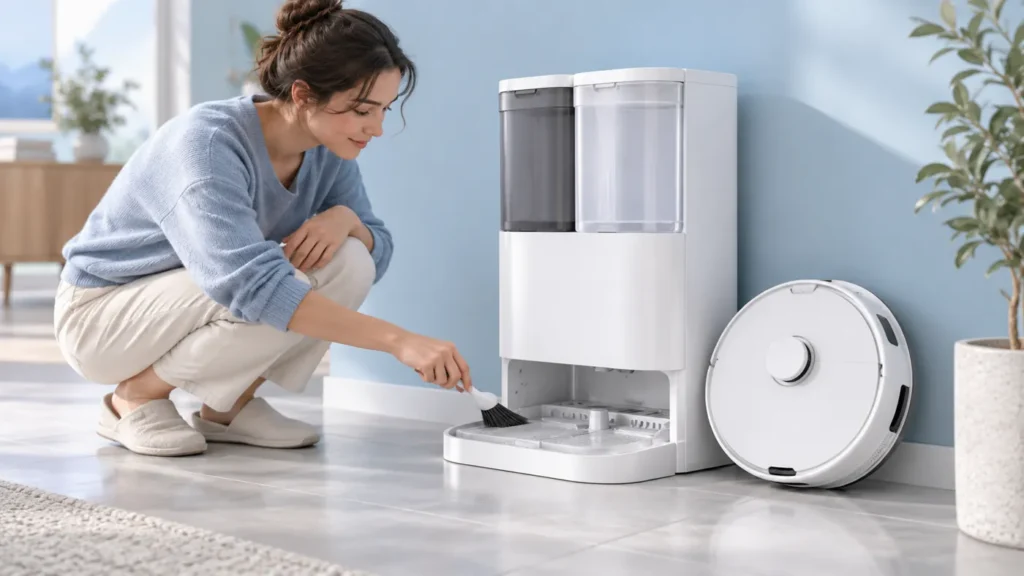
Begin with the quick checks. Stop if a step requires tools or experience you do not have.
To clean the Ecovacs T20 OMNI station cleaning sink, use its documented self-cleaning sequence. The station supplies water, you clean the accessible sink with the supplied brush, and a second control action drains the waste water. This is separate from washing the robot’s mop pads.
Read the original T20 instructions before starting, especially the two five-second station-button actions. Keep the robot’s exit route clear and the robot upright on its wheels. Do not dismantle the station or add water directly to an electrical housing as a substitute for the procedure.
Choose the relevant check
| What you observe | Check next |
|---|---|
| Sink is dirty but water supply and drainage work | Use the documented self-cleaning sequence |
| No water enters the sink | Check tank status and water supply |
| Waste water remains after the drain command | Use drainage troubleshooting |
| Station button does not respond | Review Child Lock and control checks |
| Self-cleaning water is cold | Distinguish self-cleaning from hot pad washing |
| Robot cannot return after maintenance | Use docking checks |
1. Prepare the station and brush
Ecovacs’ T20 cleaning-sink instructions say to ensure the clean-water tank contains enough water, open the station’s top cover and take out the cleaning brush.
Before activating the function, identify the Start control on your original T20 station. If the button layout does not match the documentation, confirm the model and applicable instructions. Avoid borrowing a sequence from a newer station.
Keep the surrounding floor and exit path clear. Put anything you need within reach so you do not leave the operation unattended midway through brushing. Take a photo of the dirty sink if you want a before-and-after maintenance record.
2. Start the documented water-supply stage
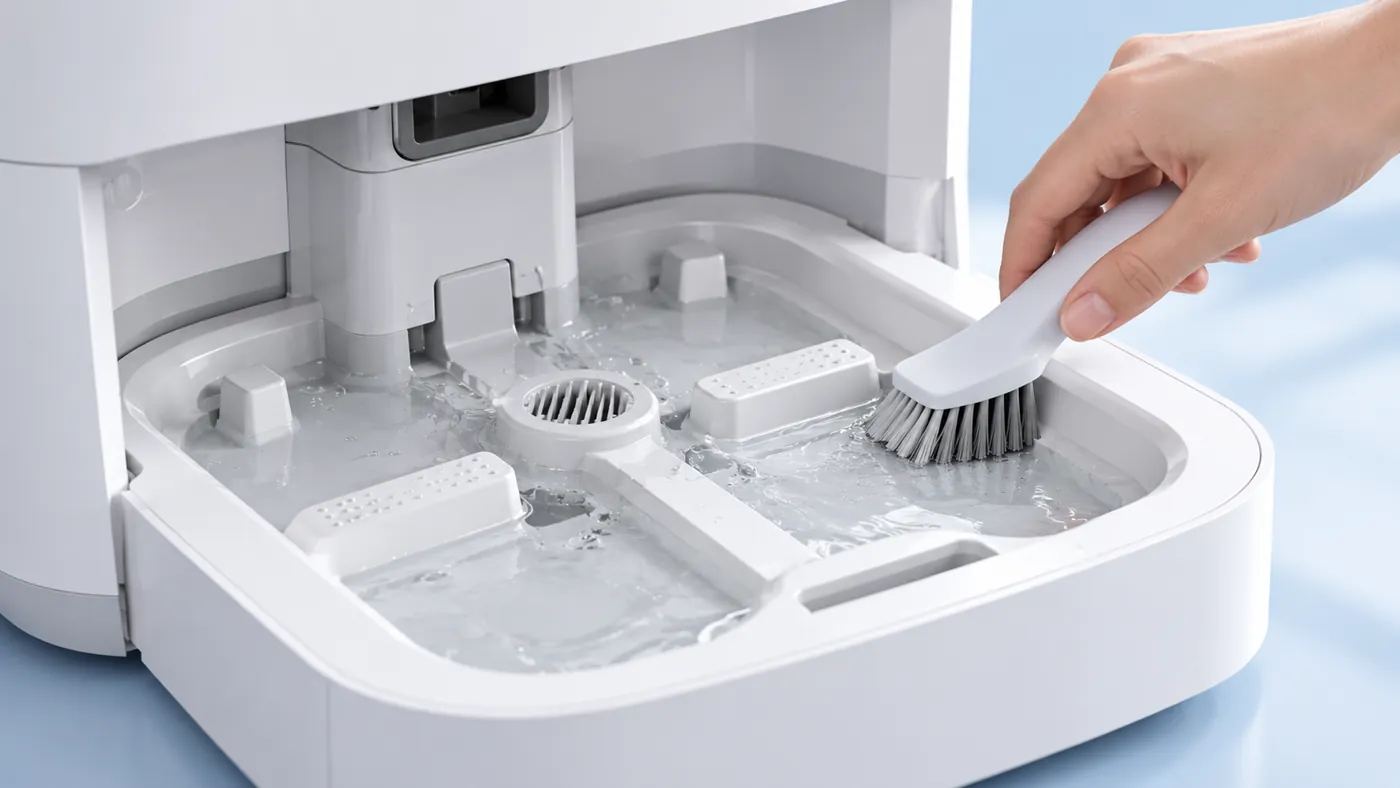
The manufacturer instructs you to hold the station Start button for five seconds. The robot then exits automatically and water flows into the cleaning sink. Once that occurs, use the cleaning brush on the accessible sink.
Wait for the exit and water-supply stage before putting the brush into the wash area. Keep your hands out of the robot’s path. Park the robot normally on its wheels; the article illustrations show the cleaning context rather than exact operating positions.
If the control does not respond, stop and use the T20 button guide. If the app reports a station connection issue, use the station connection checks. Do not compensate with repeated uncertain button combinations.
3. Clean the accessible sink surface
Use the supplied brush gently on the area described in the original instructions. Work where you can see the dirt. Do not probe unseen passages with a wire or remove fixed components just to reach an uncertain blockage.
Keep the distinction between surface dirt and a failed water stage. If no water arrives, stop treating it as an ordinary dirty-sink cleaning session. Follow the water-supply guide and record the tank status and any alert.
If residue remains firmly attached after gentle brushing, ask Ecovacs for a suitable method rather than adding a household descaler or an unapproved chemical. A cleaning agent used on another appliance is not automatically suitable for this station.
4. Drain and finish the sequence
After brushing, the manufacturer specifies another five-second hold of the station Start button to drain the waste water. Then place the robot in front of the station and hold the robot’s Start button to return it for charging. Finally, remove and empty the waste-water tank.
Observe whether the sink drains before considering the maintenance complete. If water remains or a tank-full warning appears, use the dirty-water recycling guide. Repeatedly adding water is not a useful comparison when drainage has already failed.
If the robot cannot return normally, use the docking checks. Record where the return attempt stops and keep that separate from the sink’s drainage result.
5. Check the tanks separately
Ecovacs’ water-tank maintenance guide describes removing the waste-water tank and opening its cover to empty it, with the cleaning tool for remaining bottom dirt. For the clean-water tank, it describes removing and cleaning the filter assembly, then putting that assembly back.
Keep the clean-water and waste-water parts separate while handling them. Refit removed maintenance parts through their normal procedure. If a part looks damaged or you cannot identify its correct position, ask support before forcing it into place.
Record which maintenance actions you actually completed. A clean sink does not establish that a tank filter was cleaned, and emptying the waste tank does not establish that the sink drained correctly.
Self-cleaning and hot-water washing are different
Ecovacs’ hot-water guidance states that station self-cleaning uses cold water. For concerns about pad-wash temperature, use the hot-water washing guide.
Do not judge heater operation from this cold-water maintenance function. Identify the selected operation before deciding that a component has failed.
Frequently asked questions
Should I unplug the station for this powered self-cleaning function?
Follow the original powered procedure. It relies on the station supplying and draining water; do not open electrical components.
Can I keep filling the sink when it will not drain?
Stop and follow the drainage checks rather than adding more water.
What should I send support if the sequence fails?
Send the failed stage, exact control used, tank status, alerts and photos of the sink result.
See the Ecovacs hub for related T20 guides.
For separate waste-tank and clean-water filter maintenance, use the T20 OMNI water-tank cleaning guide.